Troubleshooting Guide
Simrad NSS4 Connecting to Seakeeper Ride App
The Seakeeper Ride app may not populate automatically on Simrad NSS4 devices if the settings are incorrect. The following instructions describe how to change the ethernet settings to populate the Ride app on the MFD.
Instructions
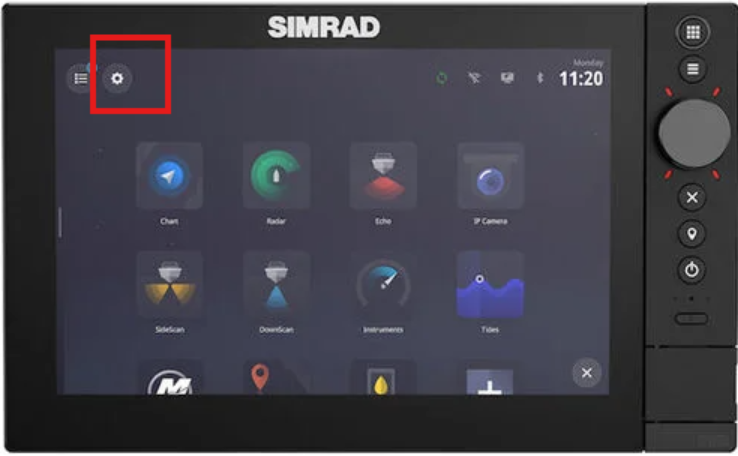
1. From the home screen of the NSS4, select the SETTINGS gear.
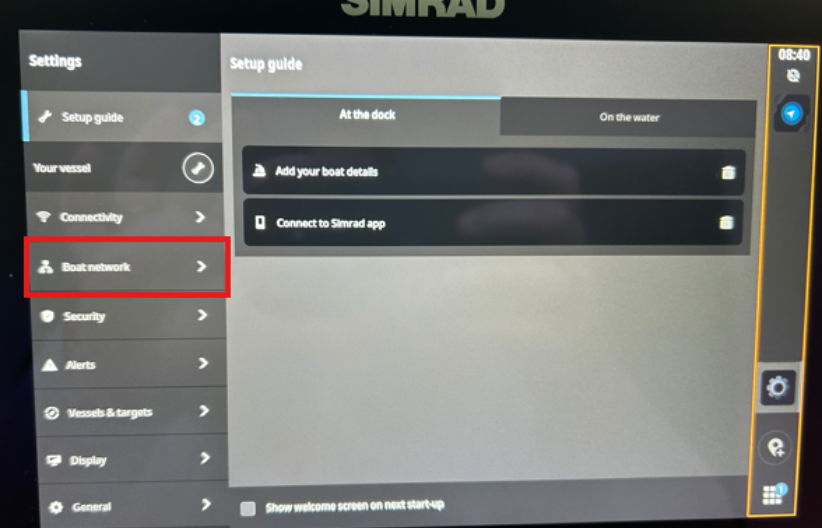
2. Once inside the settings, go to BOAT NETWORK
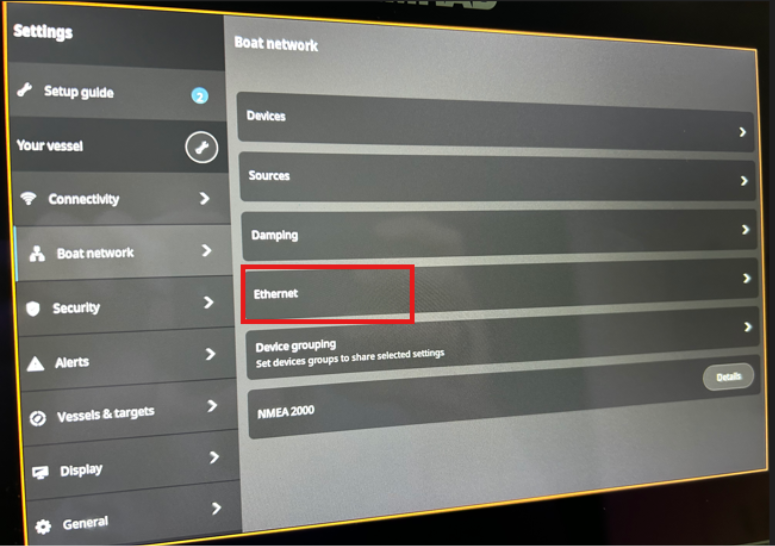
3. From Boat Network, select ETHERNET
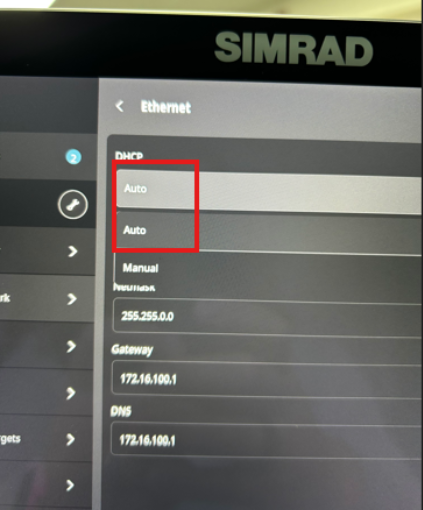
4. Next, check the DHCP setting. Switch to AUTO.
5. Your Ride app should now be successfully appearing on the Simrad NSS4.