Troubleshooting Checklist - Codes 553, 554, & 555
Code 553 Garmin Specific Instruction
The following instructions are specific to Garmin MFD units and should be followed when seeking to resolve a 553 fault.
Garmin
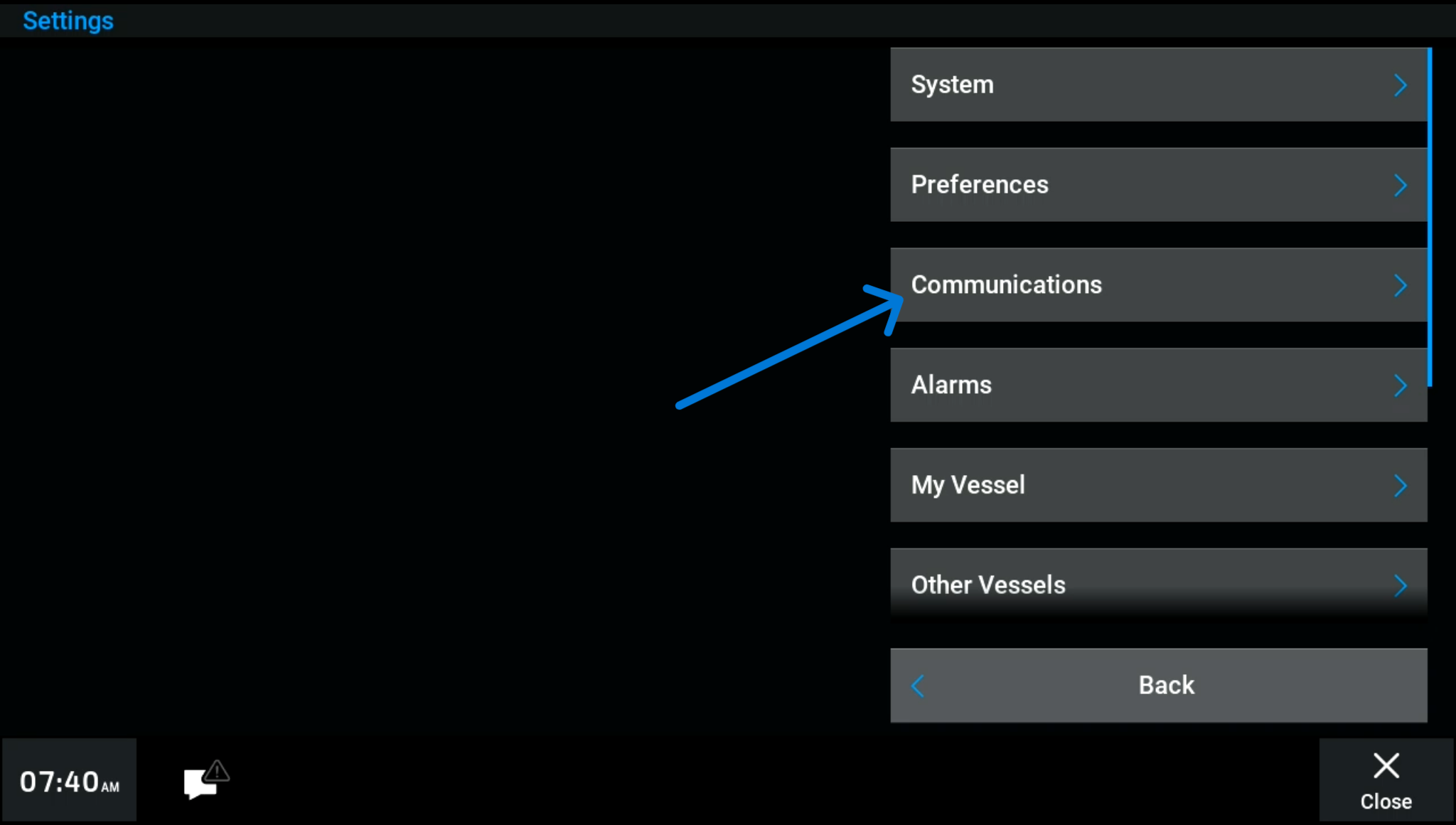
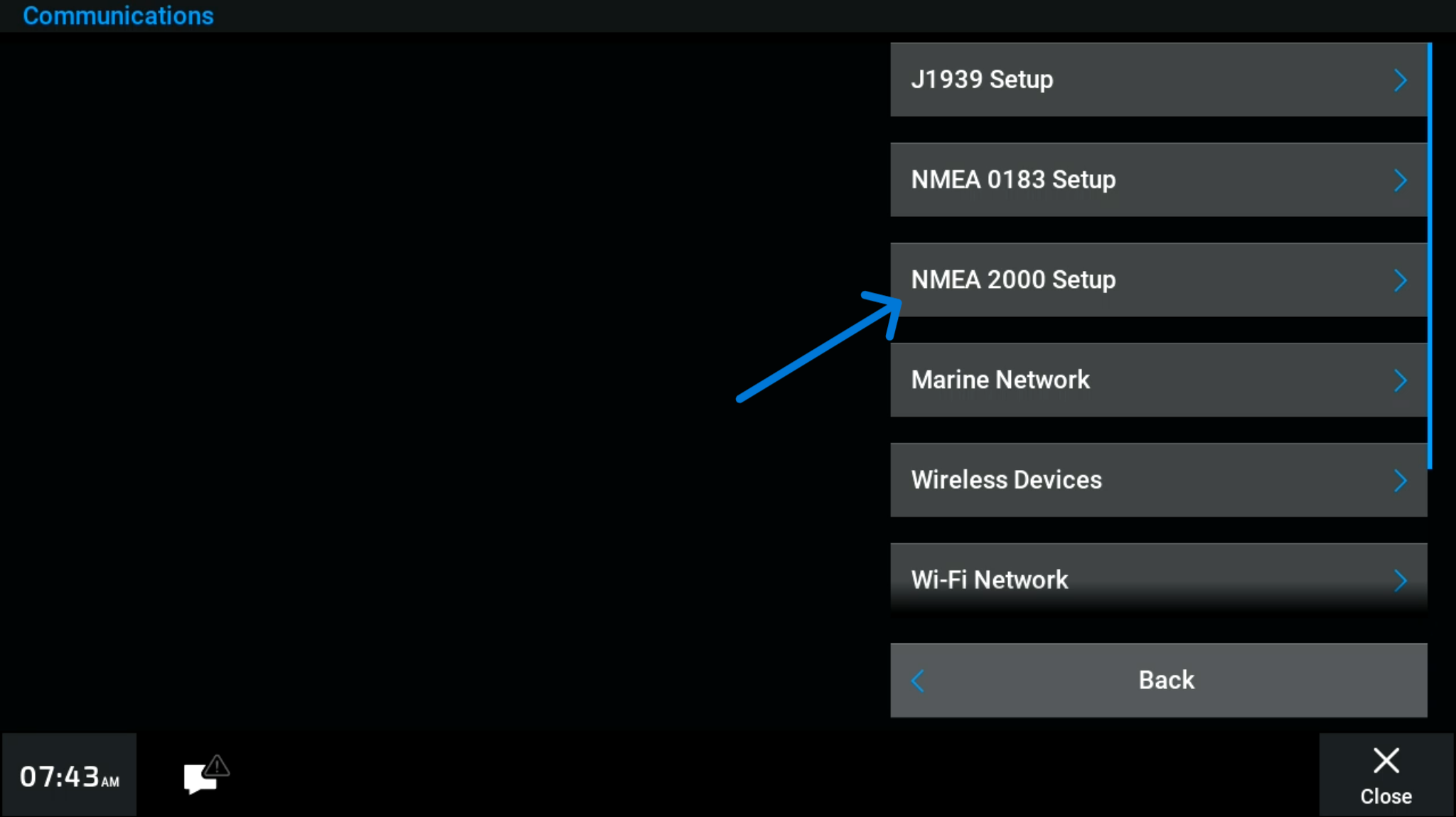
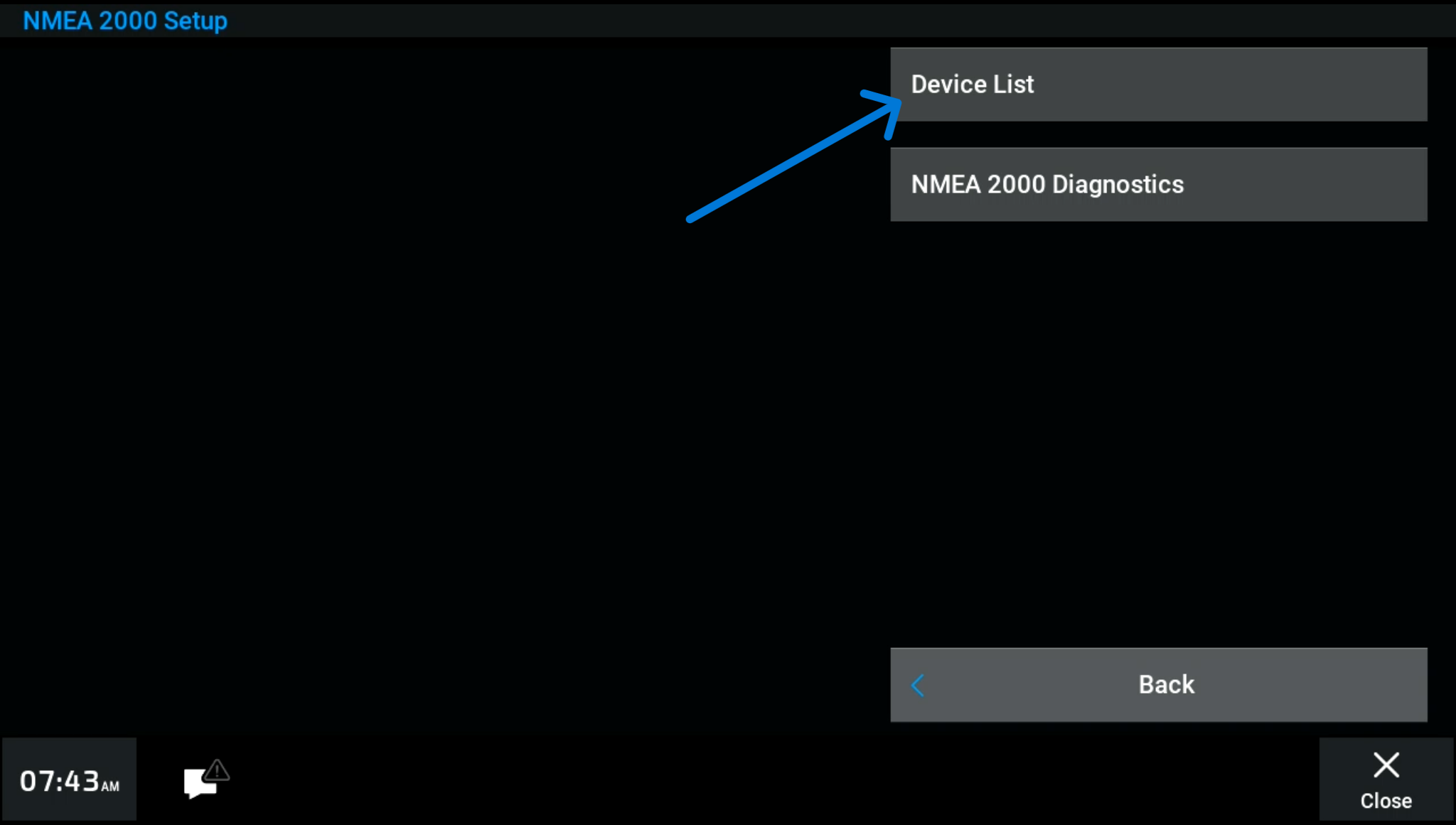
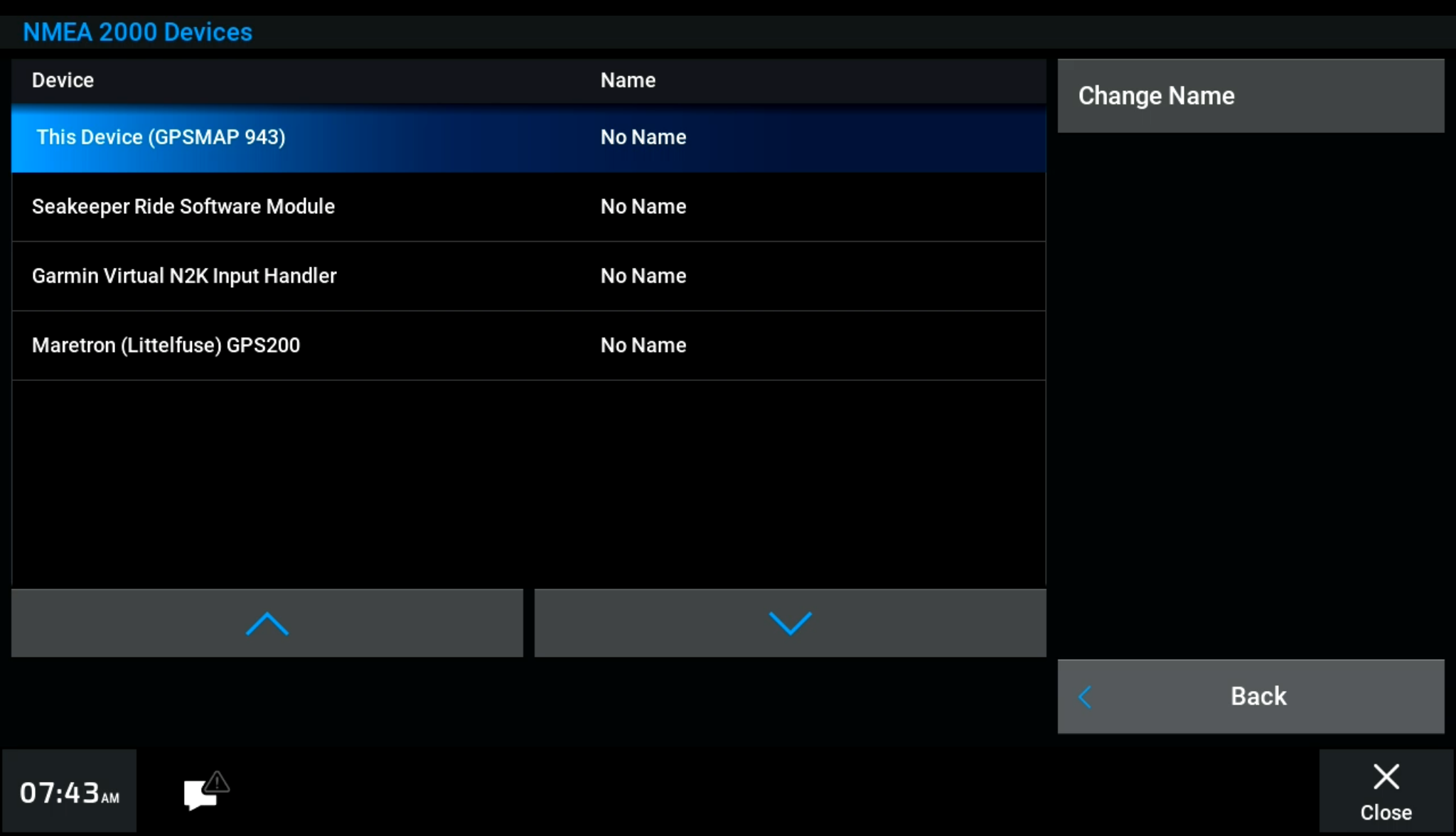
A. Determine if all GPS Antennas are connected to the same NMEA 2000 network via the MFD
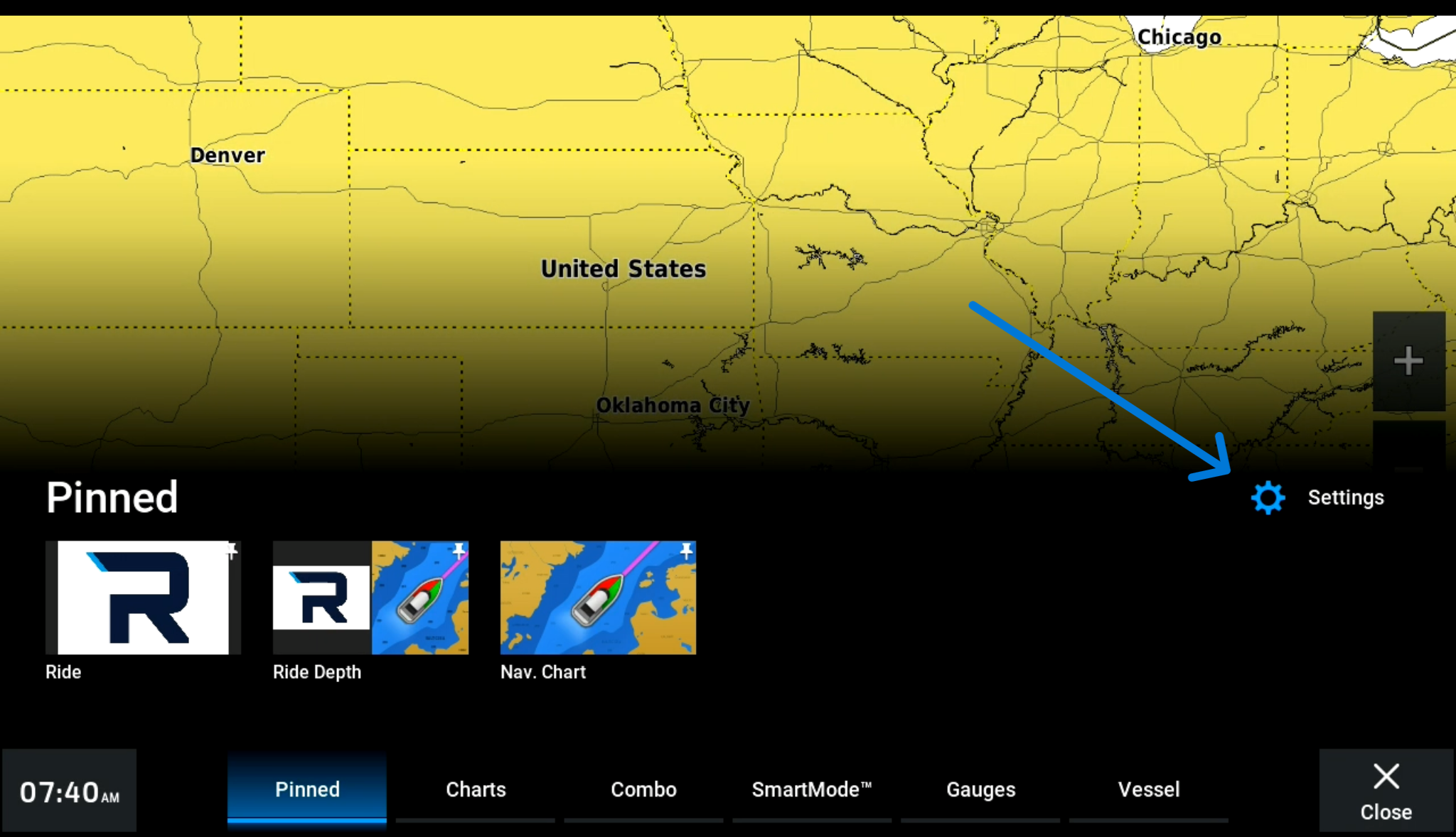
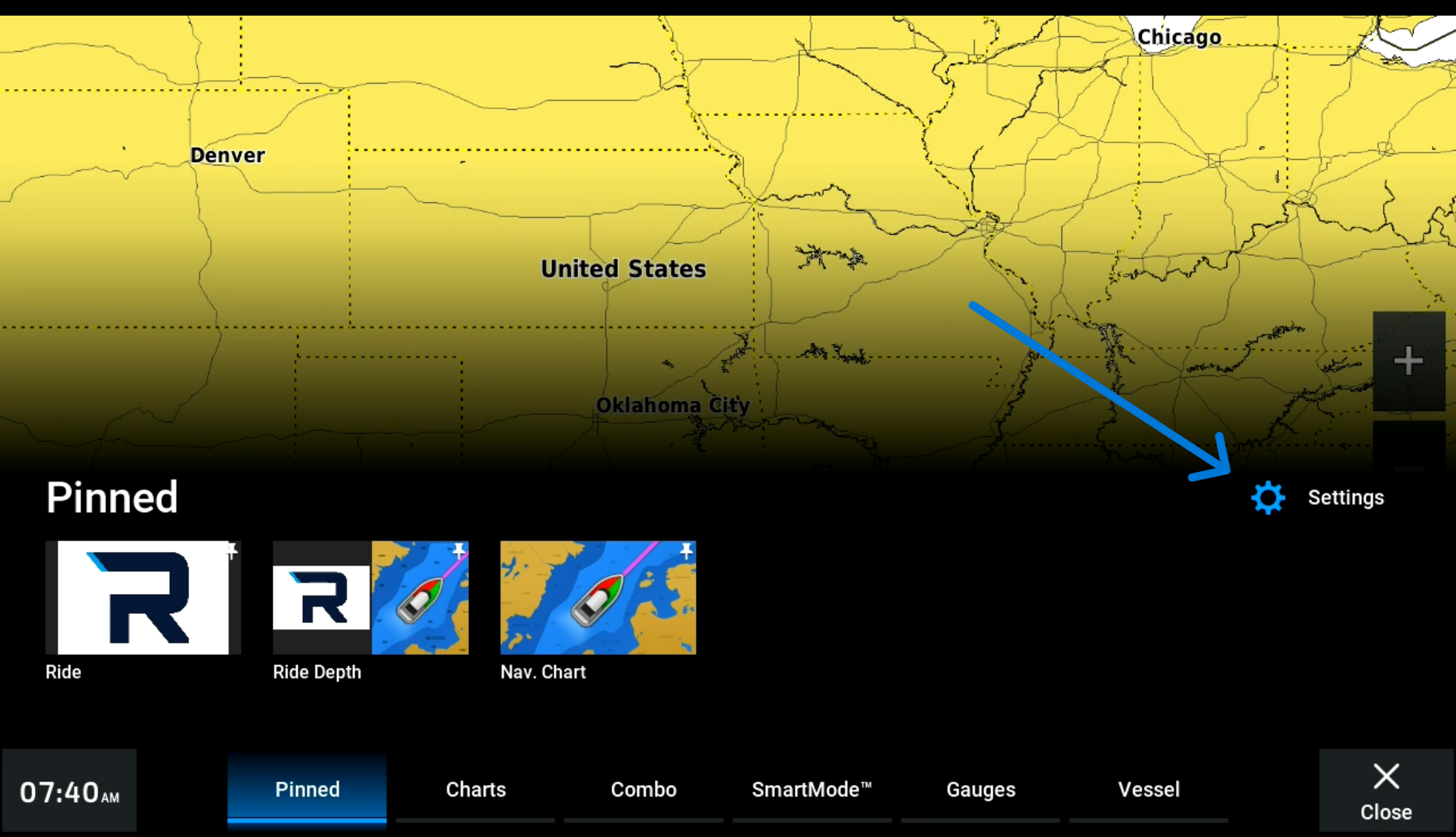
- Settings > Communications > NMEA2000 Setup > Device List
B. NMEA 2000 source selection
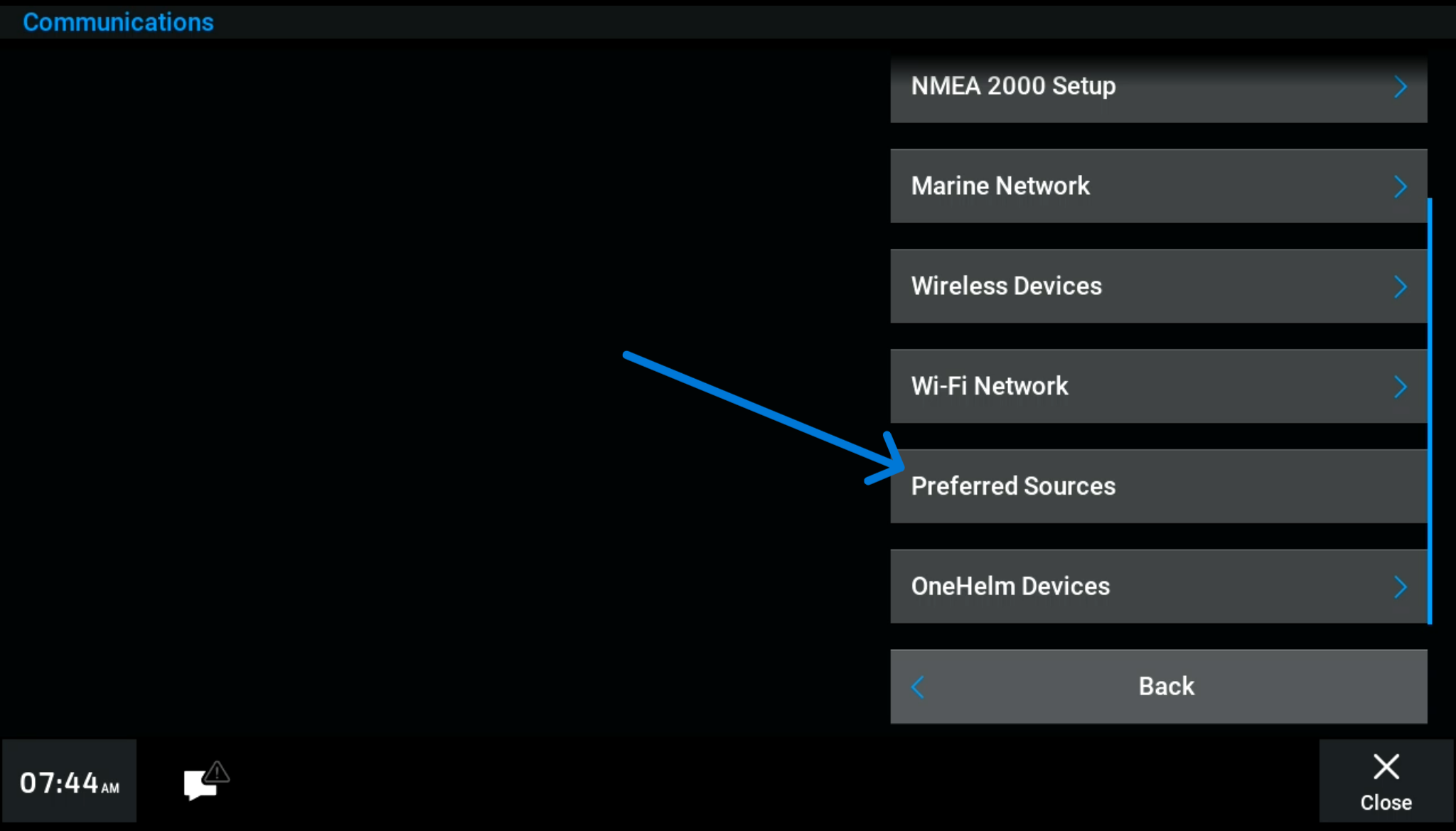
Garmin has the ability to use a built-in antenna or another source. Some networked screens will communicate over ethernet rather than NMEA 2000. To change that go to:
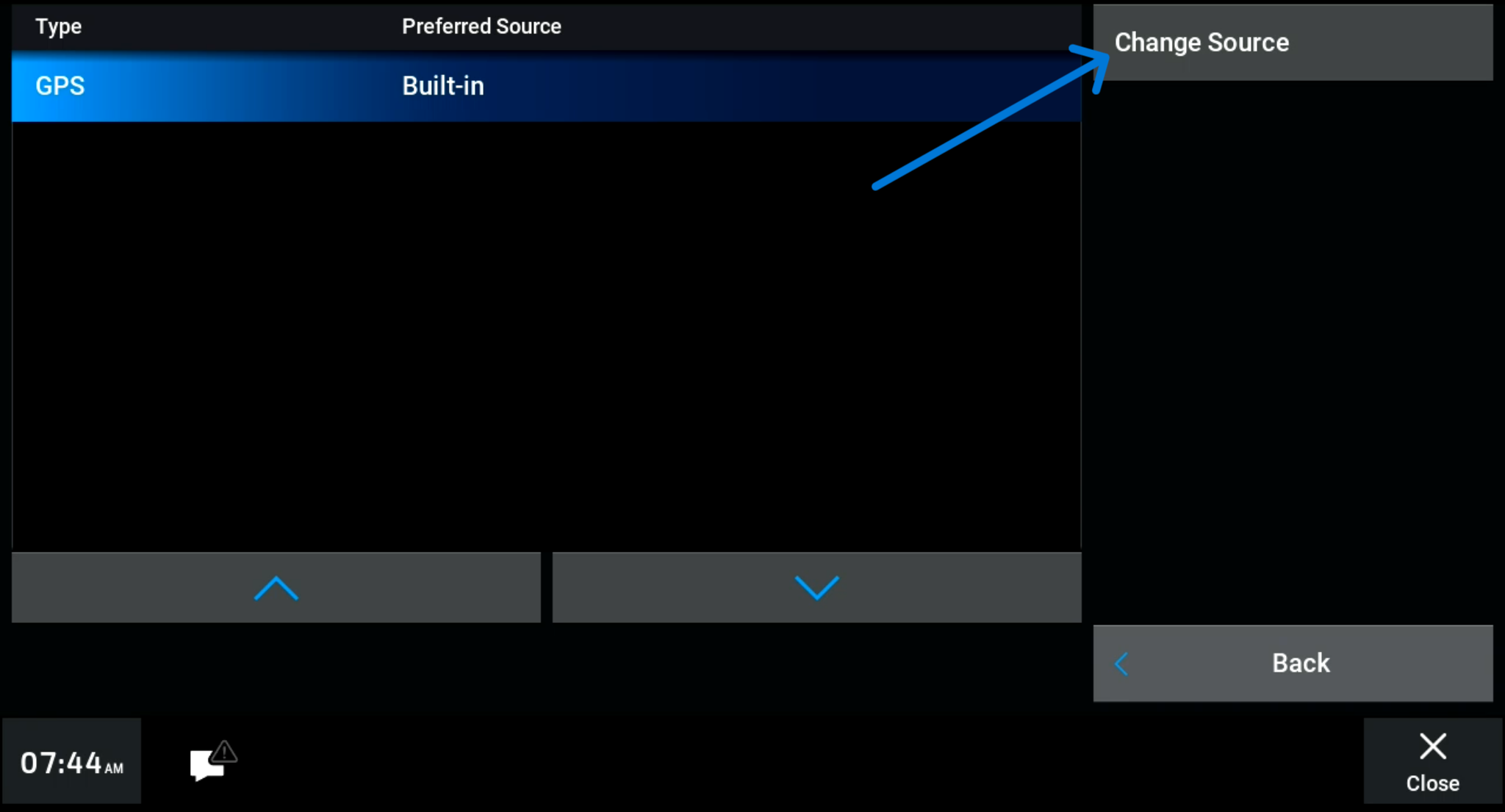
- Settings > Communication > Preferred Sources
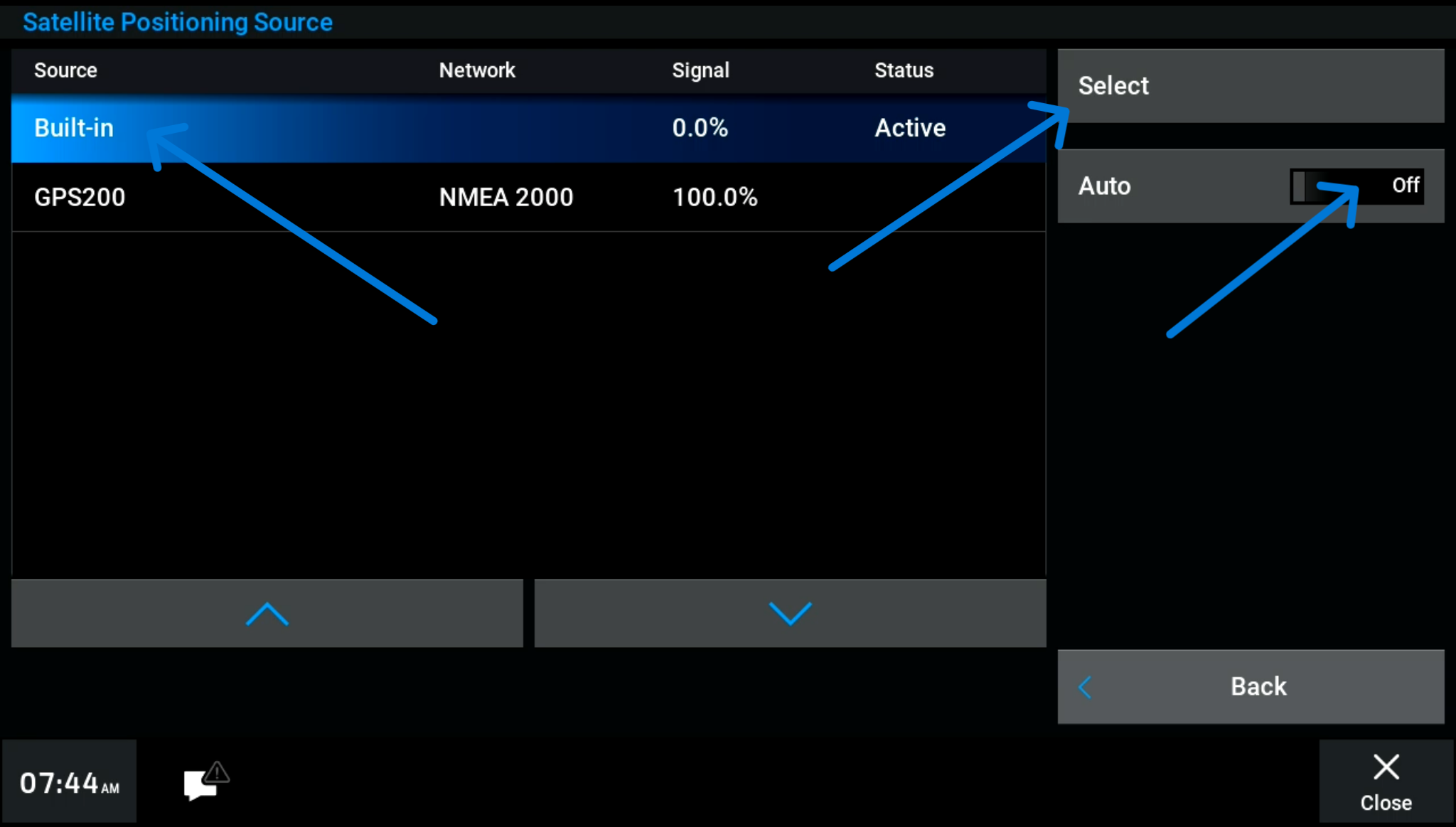
- Select “Built-In” (Press “Change Source” > “Built-In” > “Select”)
- Ensure “Auto” is set to Off
- Also check this setting for transmitting data to the NMEA 2000 bus from all screens
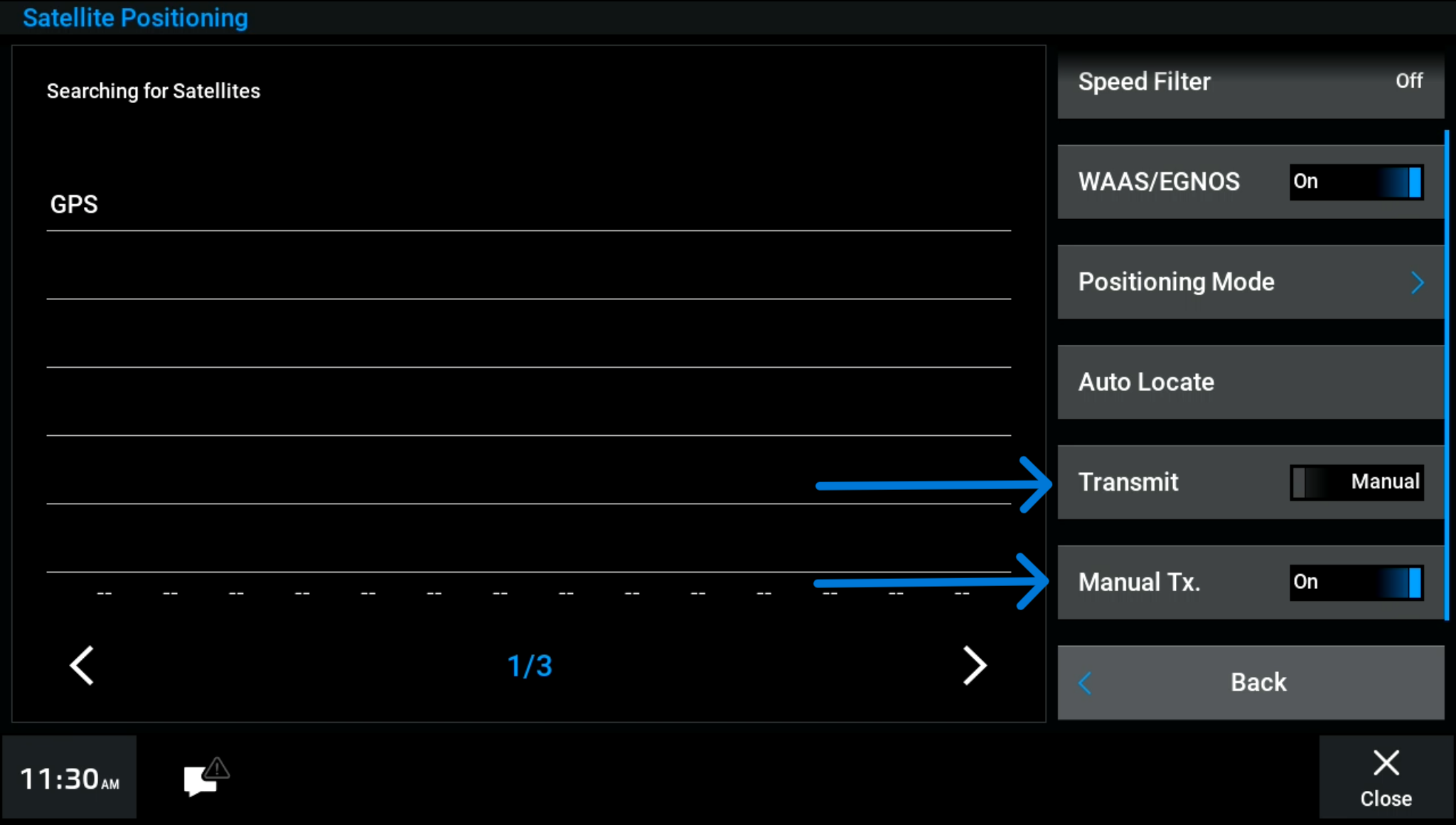
To force all screens to transmit data and increase likelyhood of Ride seeing the most reliable GPS, go to:
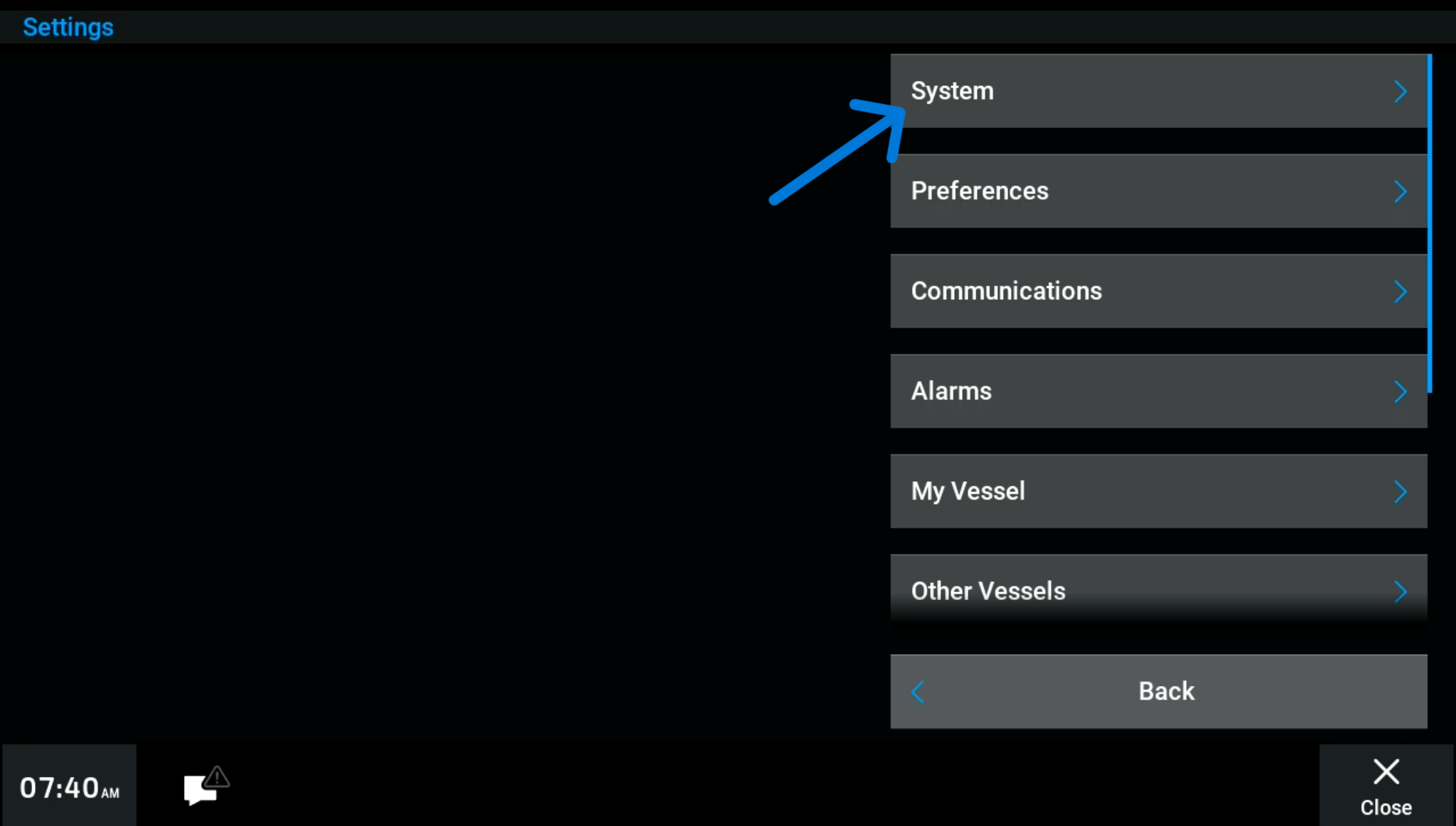
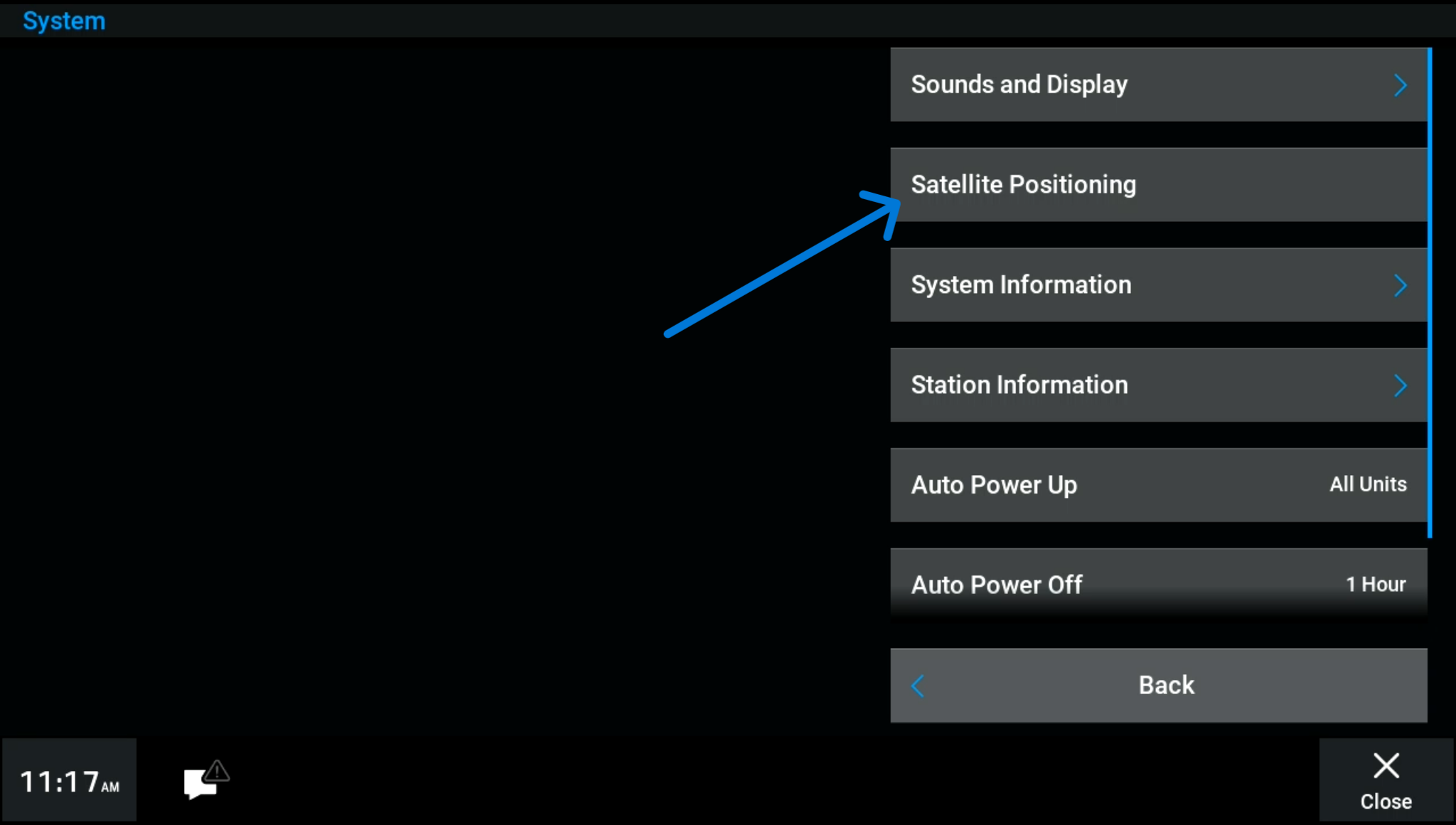
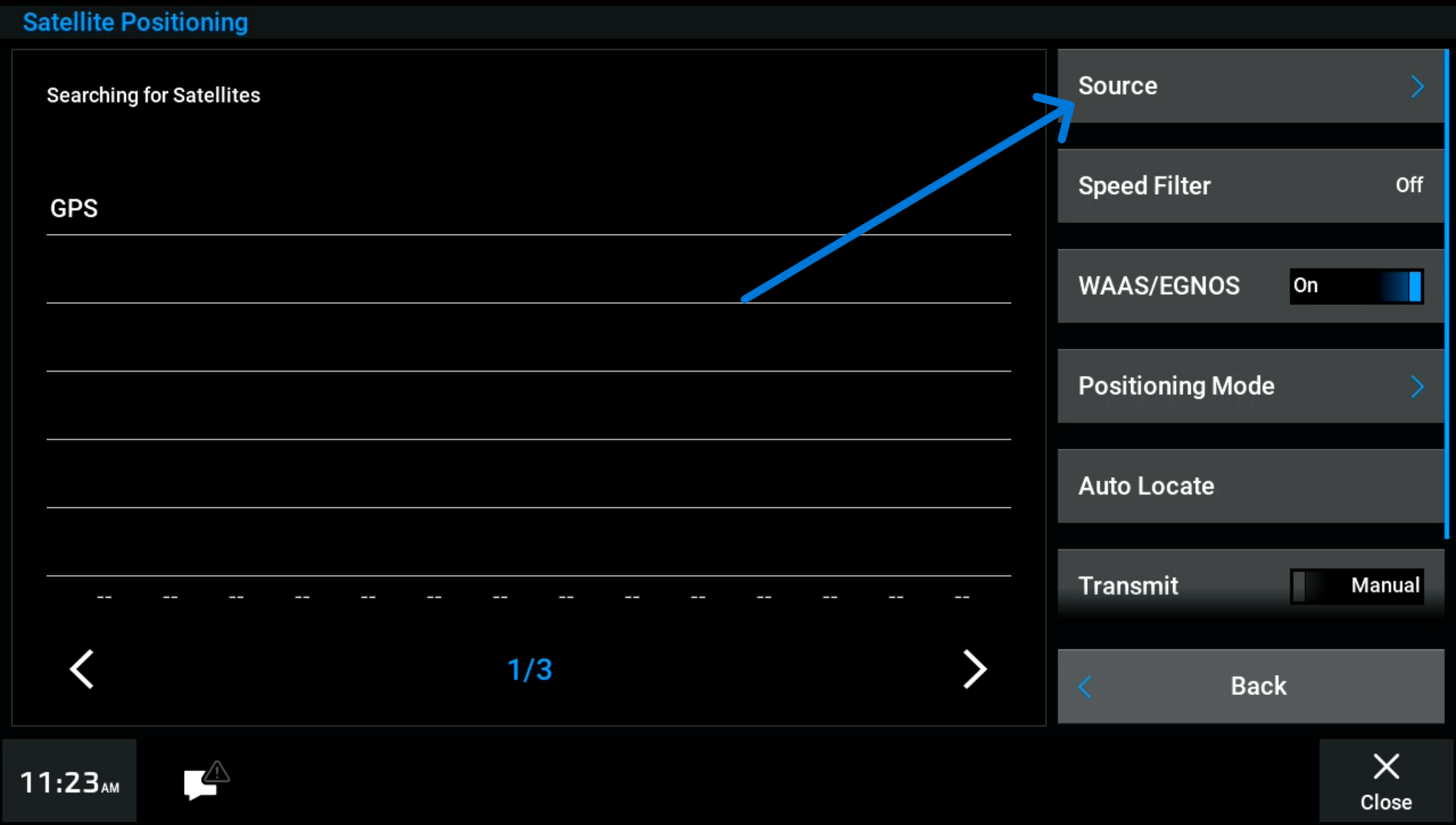
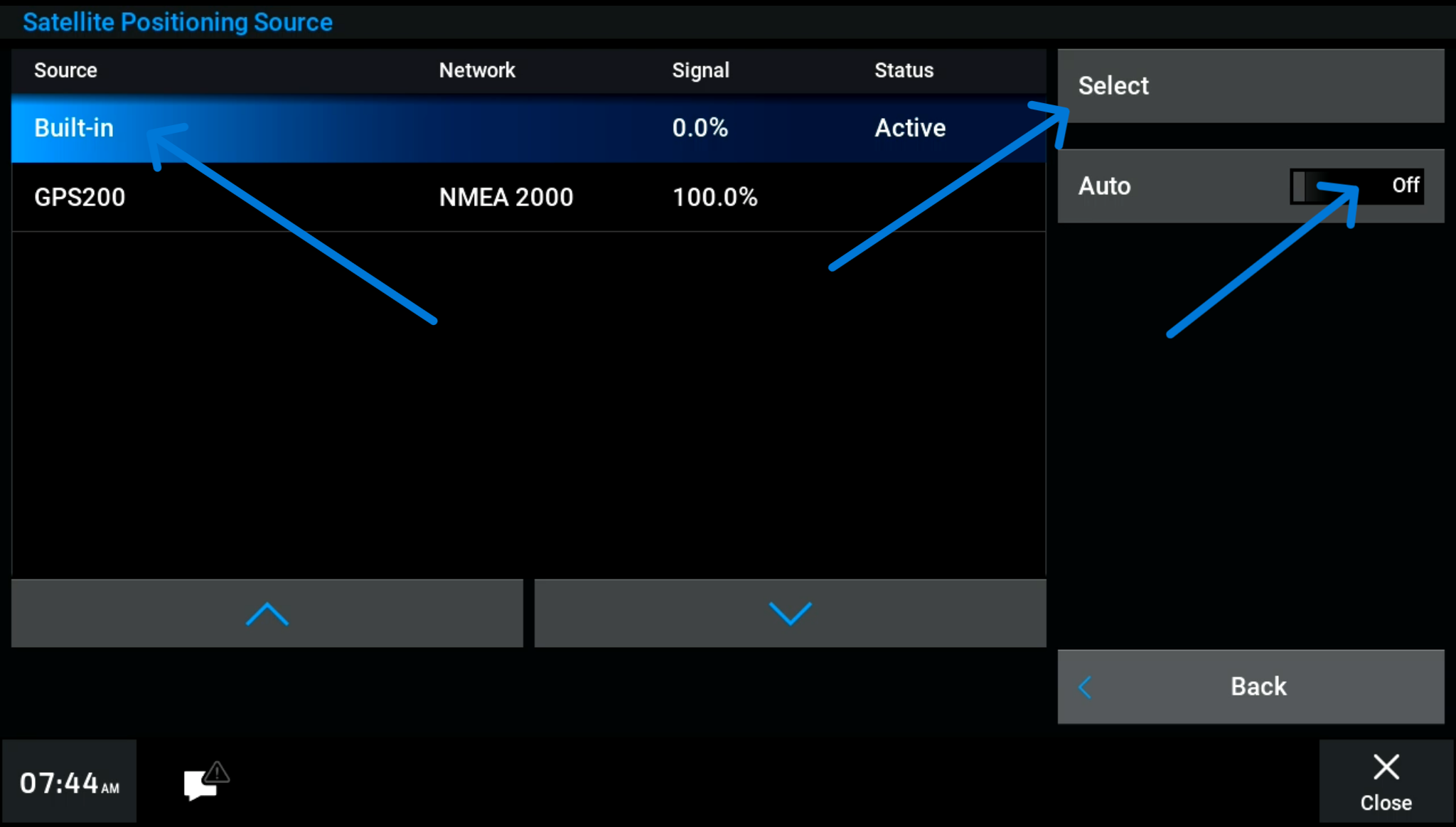
- Settings > System > Satellite Position > Source
- Select “Built-In” (Press “Built-In” and then press “Select”)
- Ensure “Auto” is set to Off
- Press “Back”
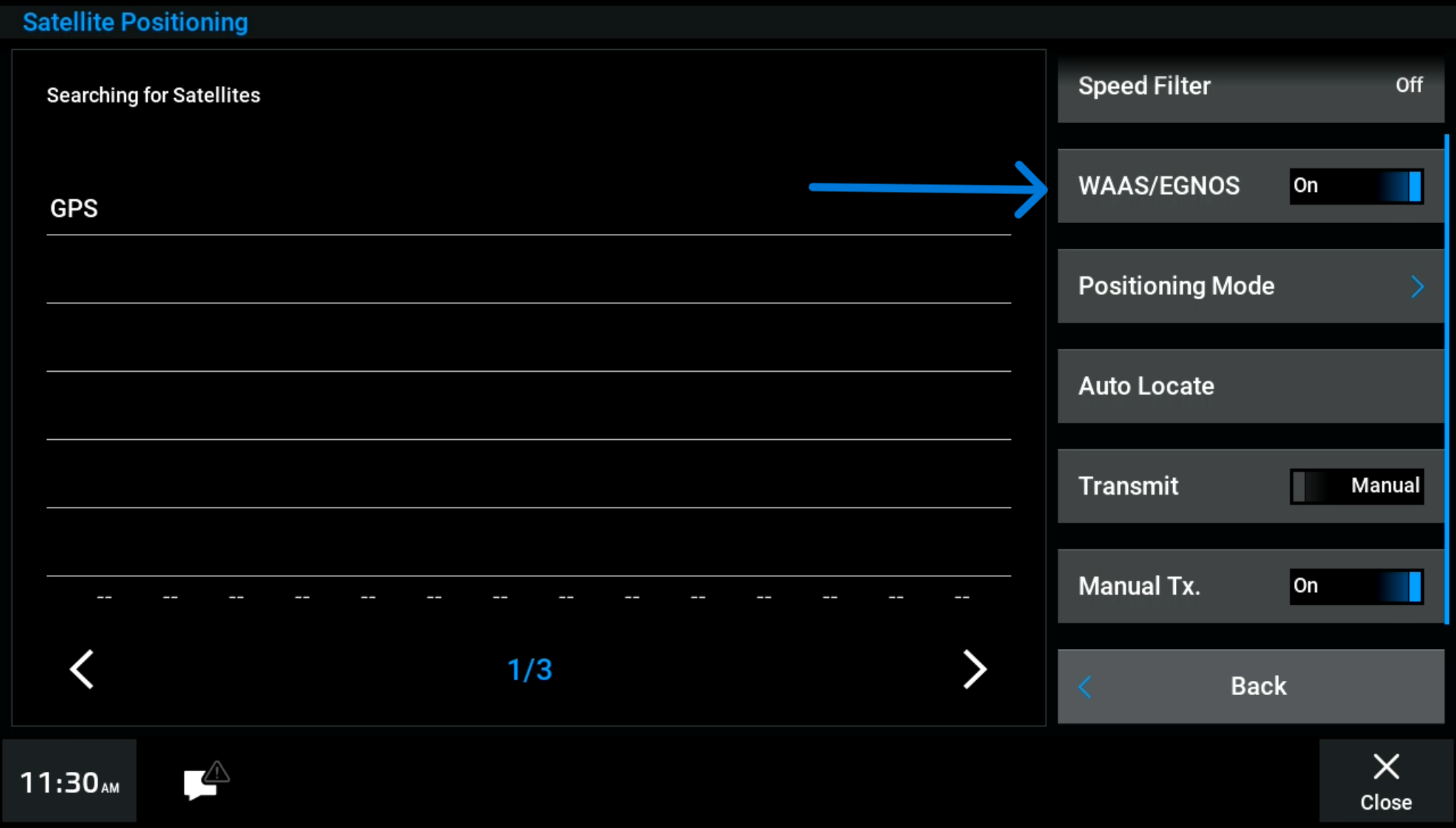
- Set “Transmit” to Manual
- Set “Manual Tx.” set to On
C. Increase accuracy of available Antennas
Garmin has ability to use multiple types of satellites which can help increase accuracy. Go to:
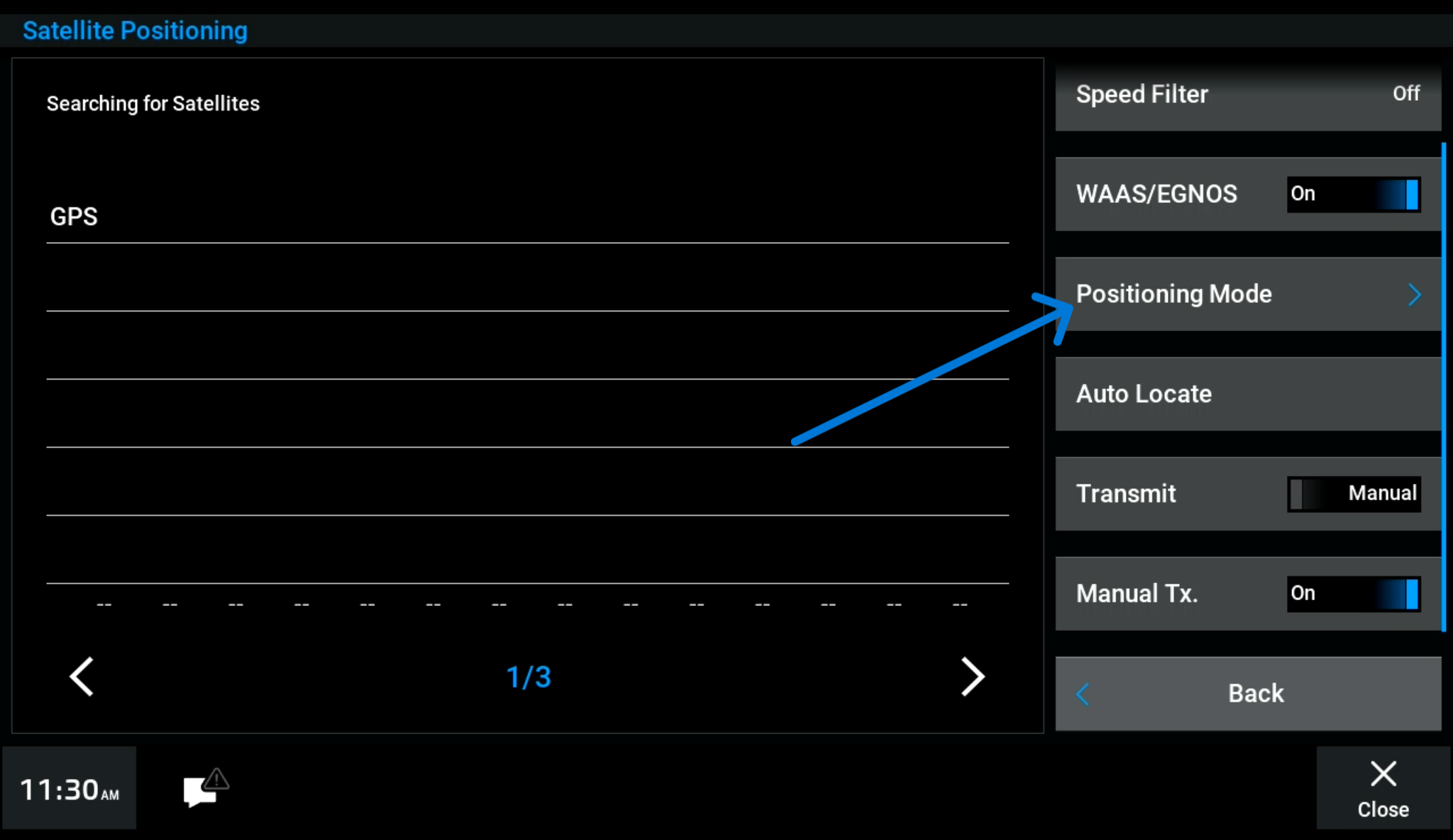
- Settings > System > Satellite Positioning
- Set “WAAS/EGNOS” to On
- Press “Positioning Mode”
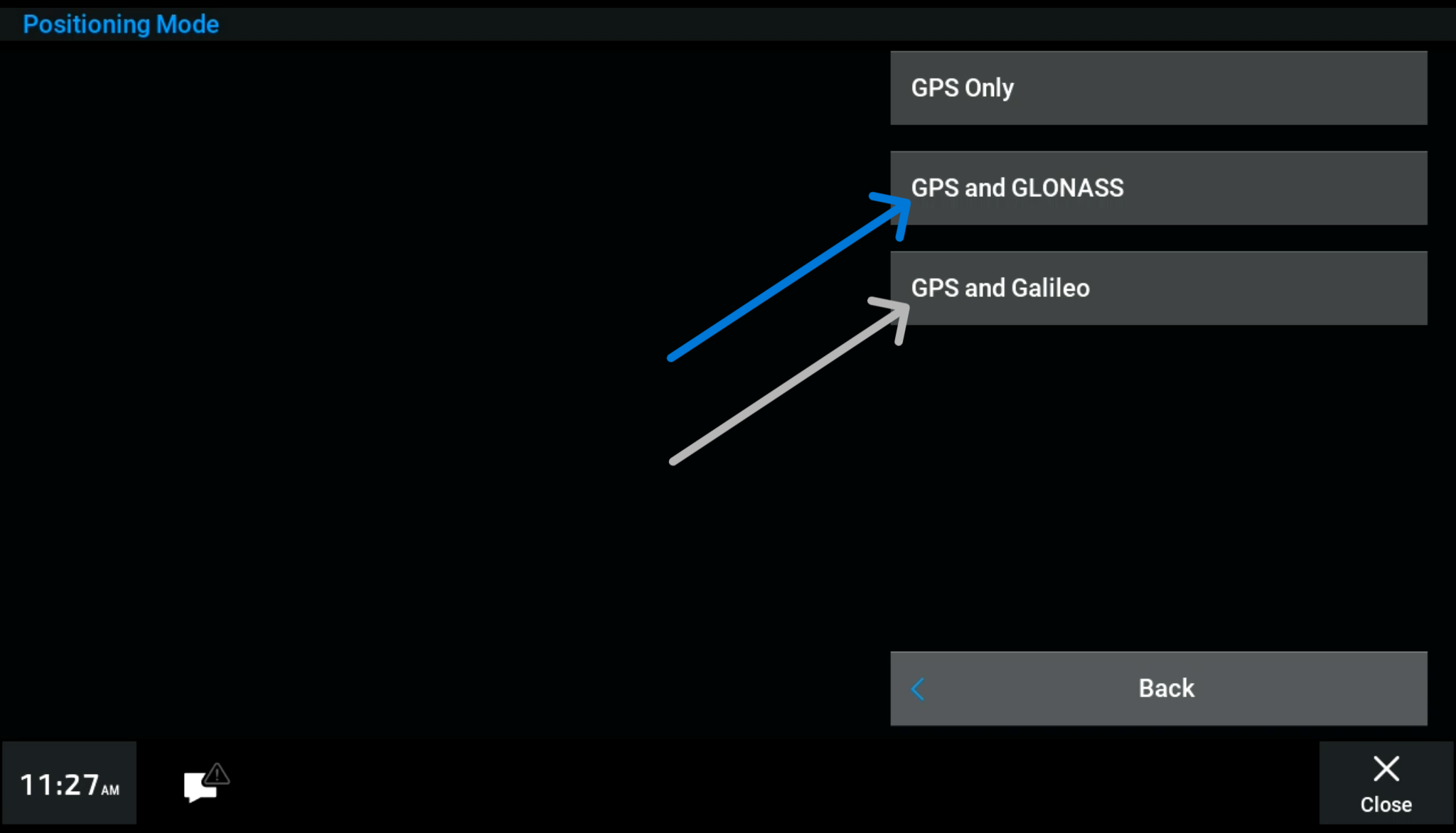
- Press “GPS and GLONASS”
- If this is not successful, select “GPS and Galileo” to try additional satallite groups