Seakeeper 5 Operation Manual (90960-1)
4.3 Alarms
Alarms

The operator should physically examine the Seakeeper following an alarm. Continuing to reset without service intervention can result in damage or personnel injury.
Sensors, alarms, and shutdowns are provided to allow unattended operation. Sensors measure drive and coolant temperatures, gimbal angle, brake pressure, and vessel motion. The Seakeeper controller sends sensor values and alarm information to the display, locks the brake, and shuts down the motor drive in the event of an alarm condition. Seakeeper operating history during faults or alarms is recorded in the controller’s memory for subsequent recall if service is needed. Seakeeper and Seakeeper dealers may access Seakeeper’s software to gather run hours, bearing loading, and hull slamming information.
NOTE: Only the MFD app can identify and address the alarm. The alarm will not clear until the operator presses the Reset Alarm button, AND the alarm condition is no longer present. The operator can then press the POWER button again to resume Seakeeper operation.
- A view of a typical Alarm screen.
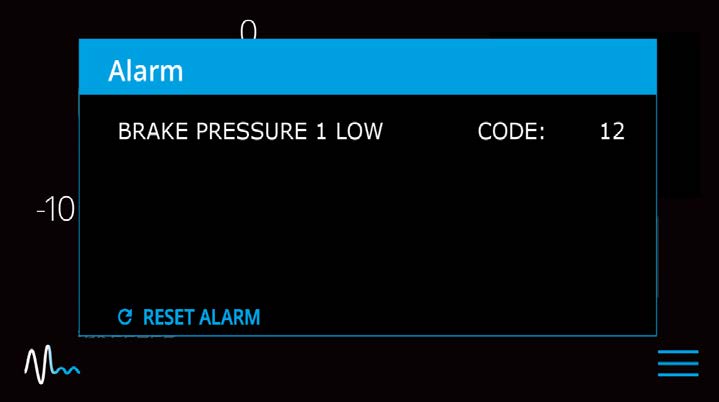
- To reset the alarm, press the Reset Alarm button:

Troubleshooting
- At the MFD app, check for alarms or warnings.
- Power Supply: Check electrical power source breakers are ON or fuses installed and NOT blown.
- Mechanical Components:
- For a temperature-related alarm, verify the coolant reservoir is filled with glycol mixture (50% ethylene glycol/50% distilled water). Verify seawater pump power alignment.
- Visually check mechanical fittings and joints for leakage.
- Visually check coolant and brake components for chaffing or leakage.
- Contact an authorized Seakeeper dealer for further assistance in diagnosing and resolving complex alarms.
If a GPS signal is lost, a warning message will appear in the Alarm History and a message will appear on the Home Screen, as seen below. The Seakeeper will not spool down, however the precession rate and angle of the sphere will be reduced until GPS signal returns.
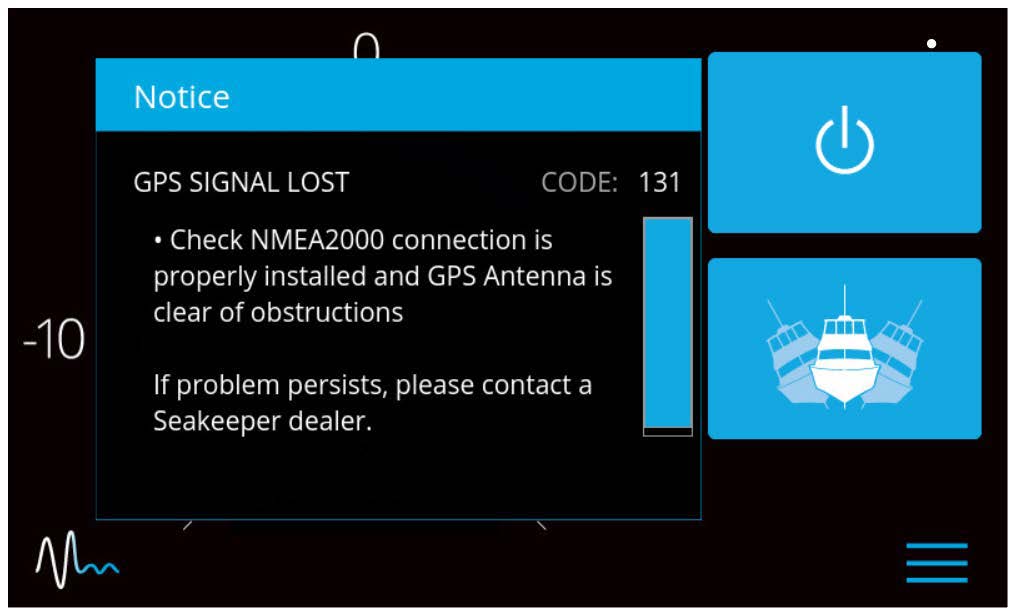
Alarm History
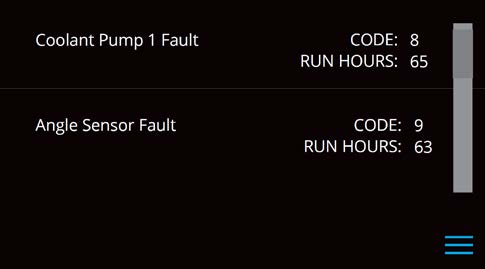
The ALARM HISTORY page in the Seakeeper application or on the display shows recent alarms and warnings. Alarms trigger a pop-up message to be displayed on the display or Seakeeper App. Warnings will be listed in the alarm history, but do not affect Seakeeper operation. The alarms and warnings are in chronological order, starting with the most recent. Warnings included in the history page are for issues that do not affect gyro operation.
Press the Menu button  to show the page options and then the Alarm button
  to show alarm history.