Configuration Instructions
2. Software Module Switches
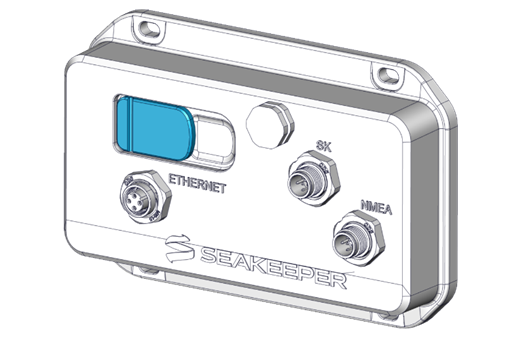
For Seakeeper Ride to connect properly to the Multifunction Display (MFD), the switches on the Software Module must be in the correct positions. Access the switches by removing the rubber covering on the upper left side of the Software Module.
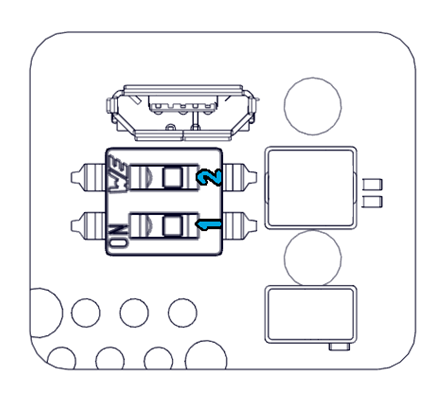
Do not move Switch 2. Follow the table below to configure Switch 1 based on the MFD brand. The ‘on’ position is to the left.
| Garmin*, Raymarine, Furuno | Switch 1 Off |
| Simrad, Lowrance, B&G, Humminbird** | Switch 1 On |
*Note: If the Dipswitch is switched to correspond with the correct MFD compatibility after already powered on with the incorrect Dipswitch, a power cycle is required for the Software Module to properly display with the new Dipswitch setting.
*Note: When using Garmin Blue Net 30 adapters to convert from legacy Garmin Marine Network cables to Garmin BlueNetTM devices will require Switch 1 to be in the On position for correct functionality.
**See Seakeeper Ride MFD Compatibility – Seakeeper Manuals for notes on Humminbird compatibility.
Simrad: NSO and NSS Evo3 models: Software 20.1; NSS Evo3S: Software 20.0.2; GO models: Software 20.0.1. When connecting Simrad NSS4, the Seakeeper Ride app may not automatically populate. Follow these instructions if you do not see the app.