Seakeeper Ride Sea Trial Instructions
Offload System Data
Through Seakeeper Ride Service Menu Items, the ability to offload data can be accessed by users to pull off Sea Trial data. This data will need to be sent to Seakeeper Ride to calculate the results of the completed Sea Trial.
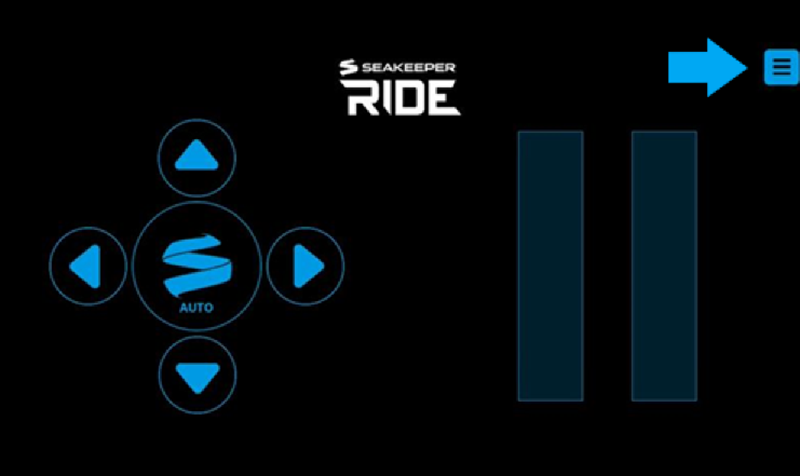
- Navigate to the top right and select the ‘Service Menu’ icon.
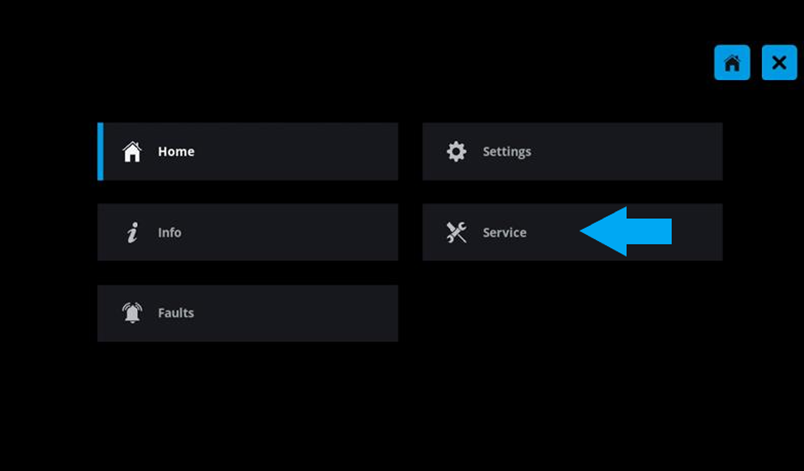
- Select ‘Service’ to see the service menu items.
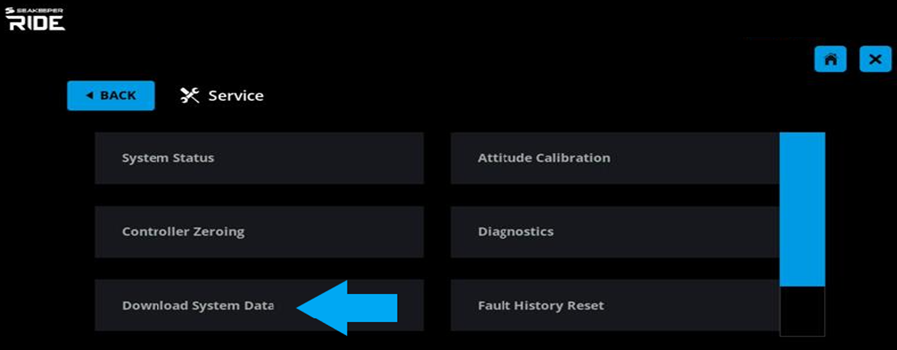
- Choose ‘Download System Data.’ This entry will inform the user that Seakeeper Ride is recording motion data from the boat and storing it.
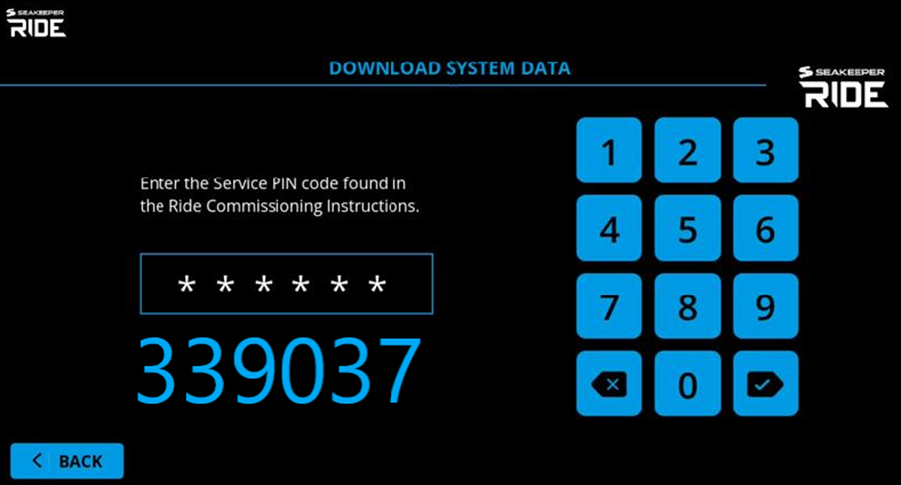
- Enter In Pin ‘339037’ to continue to Offload the system data.
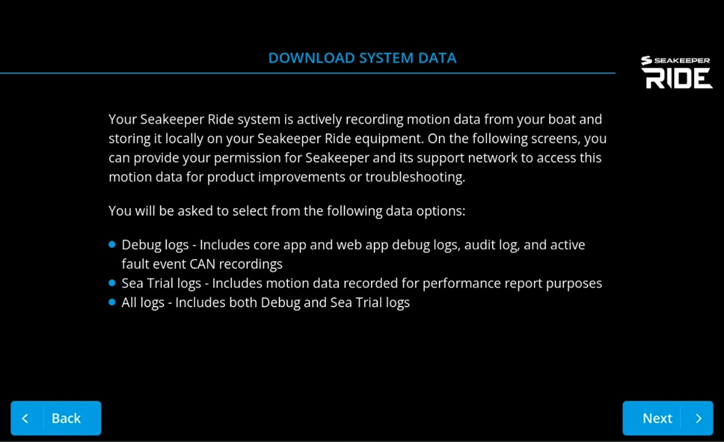
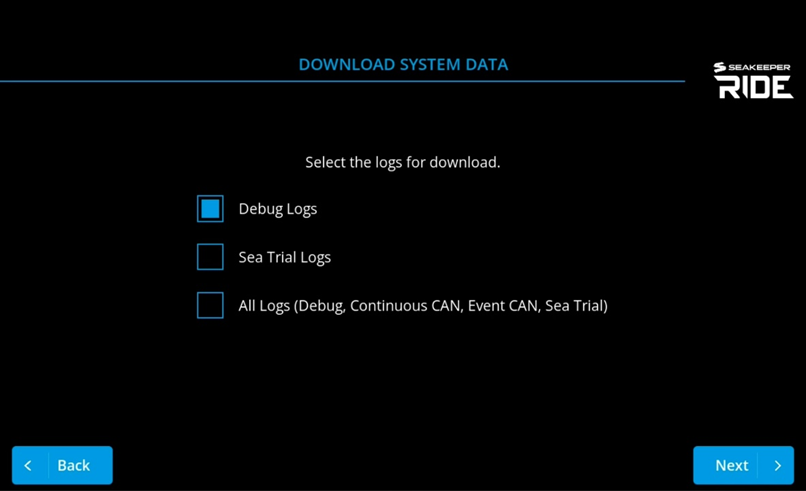
- Select which log you want to offload to the USB. Note: ‘All Logs’ or ‘Debug Logs’ will be used for troubleshooting and or all data pulled from the Software Module whereas ‘Sea Trial Logs’ will only pull Sea Trial data.
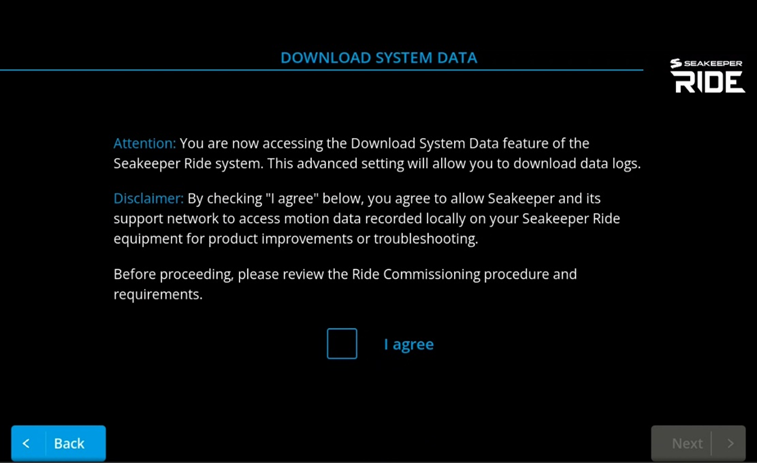
- Confirm by choosing ‘I Agree’ to begin the data offload process.
- Insert a FAT32 USB Stick to begin the Download Process.
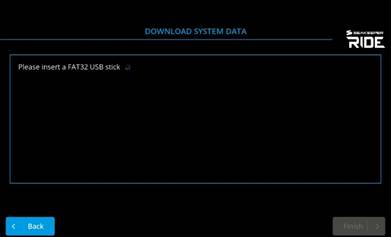
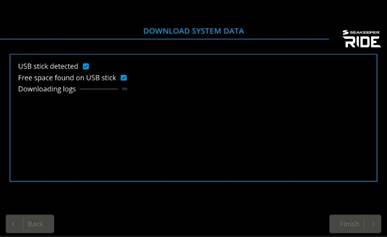
- When ‘Downloading’ reaches 100%, select the ‘Finish’ button on the bottom right of the screen to complete the download and then remove the USB.
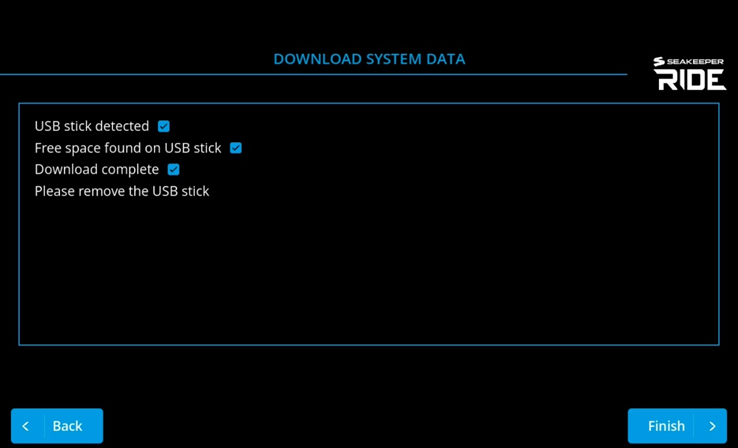
- Plug the USB with the offloaded system data into a computer and submit here at the following link, https://www.ride.seakeeper.com/sea-trial-upload.