Actuator Replacement and Friction Check
Actuator Replacement
Preparation
- Turn off the boat, including the engines and the Seakeeper Ride system.
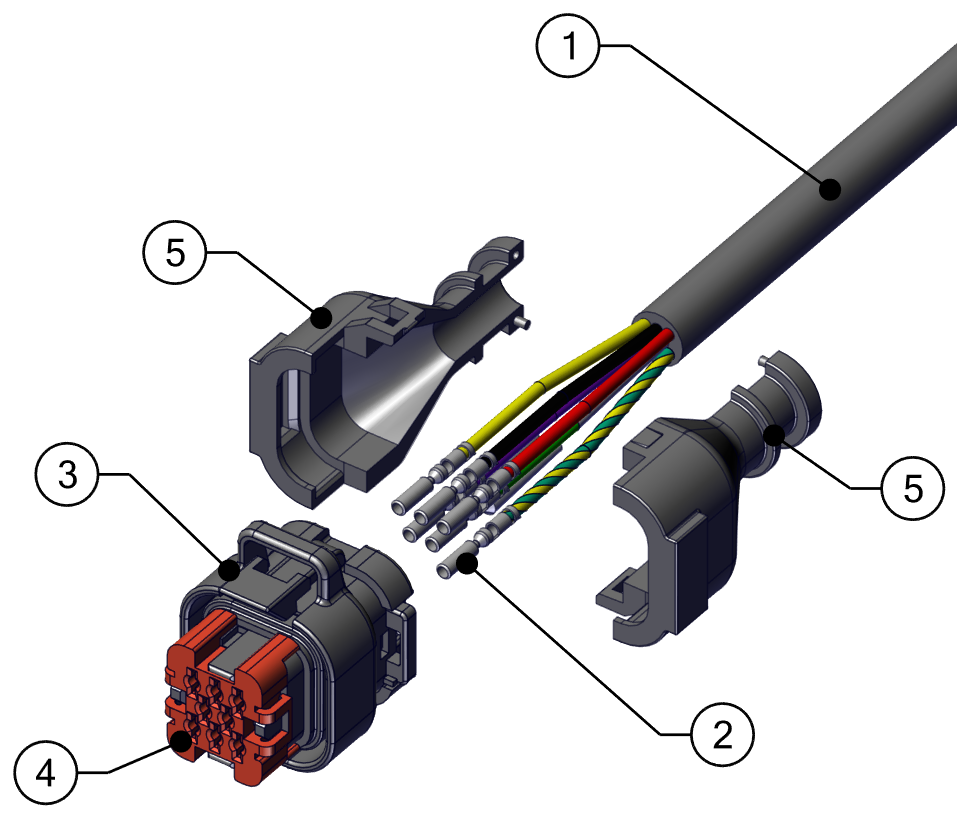
- Controller/Actuator Cable
- Pins
- Ampseal Plug Housing
- Ampseal Wedge Lock
- Ampseal Backshell Half
- Cut off current shrink wrap and unclip the plastic casing protecting the Actuator wires (Ampseal Backshell, item 5 in the figure above).
- Lift up the red cap (Ampseal Wedge Lock, item 4 in the figure above) by gently prying open the red arch-shaped clips while pushing the red cap up. After the red cap is lifted, fully remove it by pulling and rocking back and forth slightly.
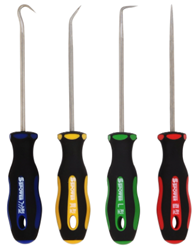
- Use a pick tool to gently move the black plastic clips holding the pins and pull the pins out (remove item 2 from item 3 in the figure above).
- Loosen the Cable Gland from inside the hull to ensure the cable will be able to move freely.
See this video from Ampseal for best practices.
Removal
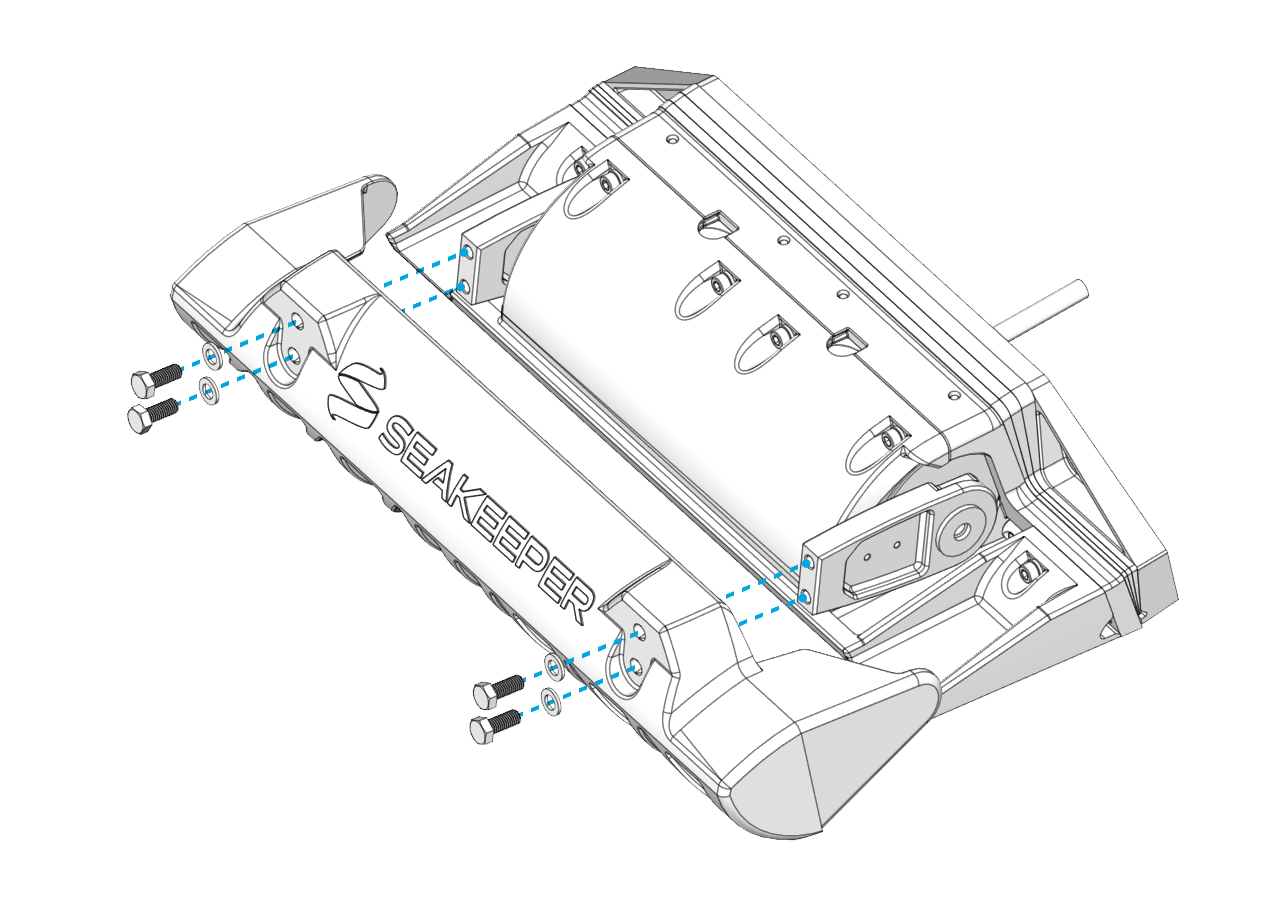
Note: For Ride 750-1500 systems, the front Blade Anode and bonding wires attached to the Blade, Actuator, and Seal Plate will need to be removed in order to remove the Blade and Seal Plate.
- Remove the four (4) M8-1.25 x 20 mm Hex bolts holding the Blade in place.

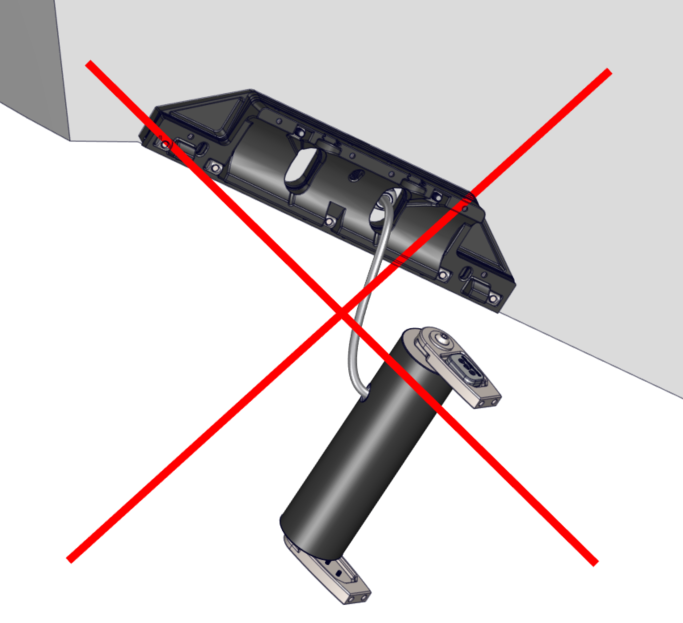
ATTENTION: Once the Seal Plate is removed, the Actuator will be unsupported. DO NOT allow the Actuator to hang by the cable. Use a table, strap, or some other method to support the weight of the Actuator.
- Remove the Seal Plate
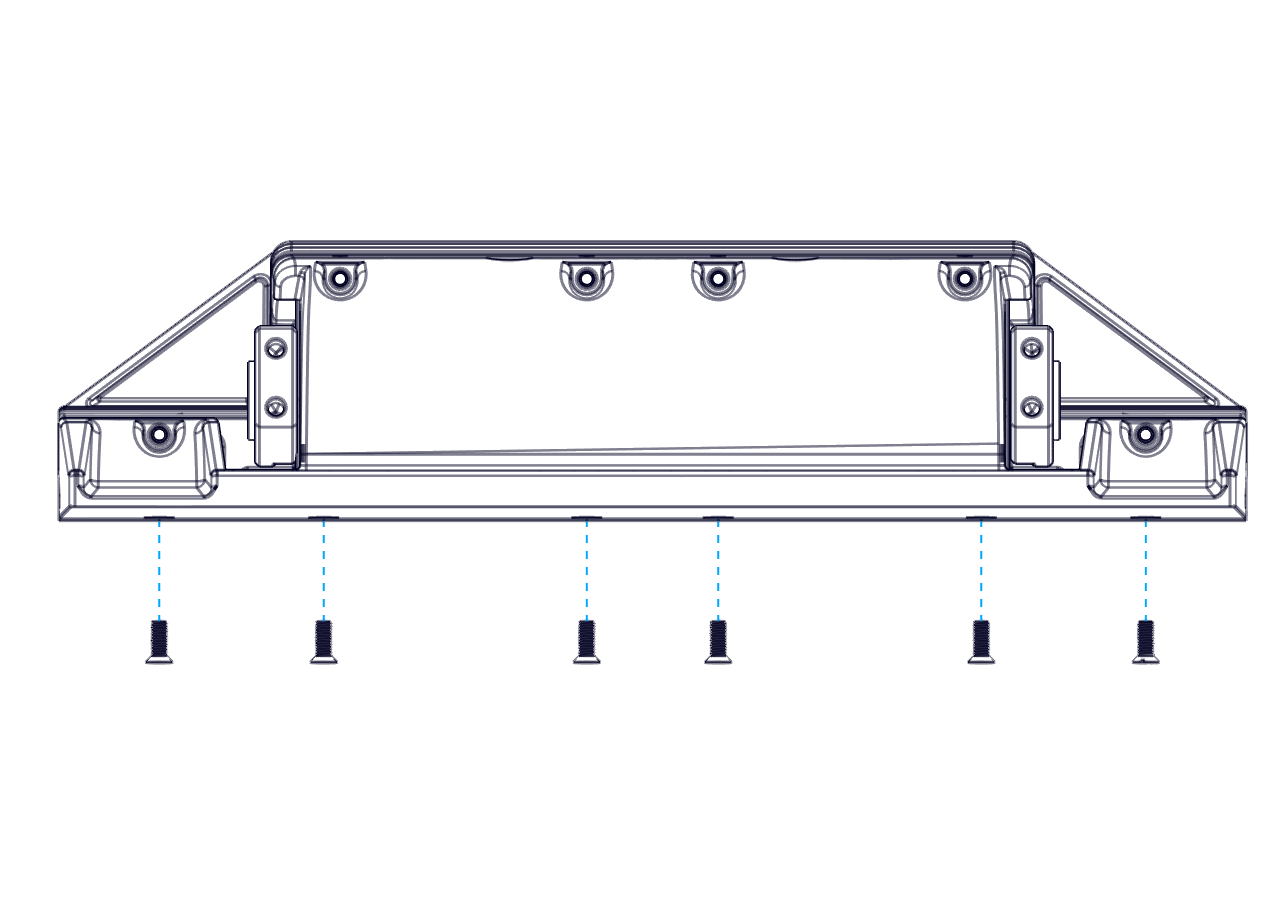
- Remove the six (6) M6-1.0 x 16 mm Flat Head Socket Cap Screws from the bottom edge of the Seal Plate. (Note: The Seakeeper Ride 600 system will have eight (8) screws).
- Remove the six (6) M6-1.0 x 30mm Socket Head Cap Screws from the top face of the Seal Plate. (Note: The Seakeeper Ride 600 system will have eight (8) screws).
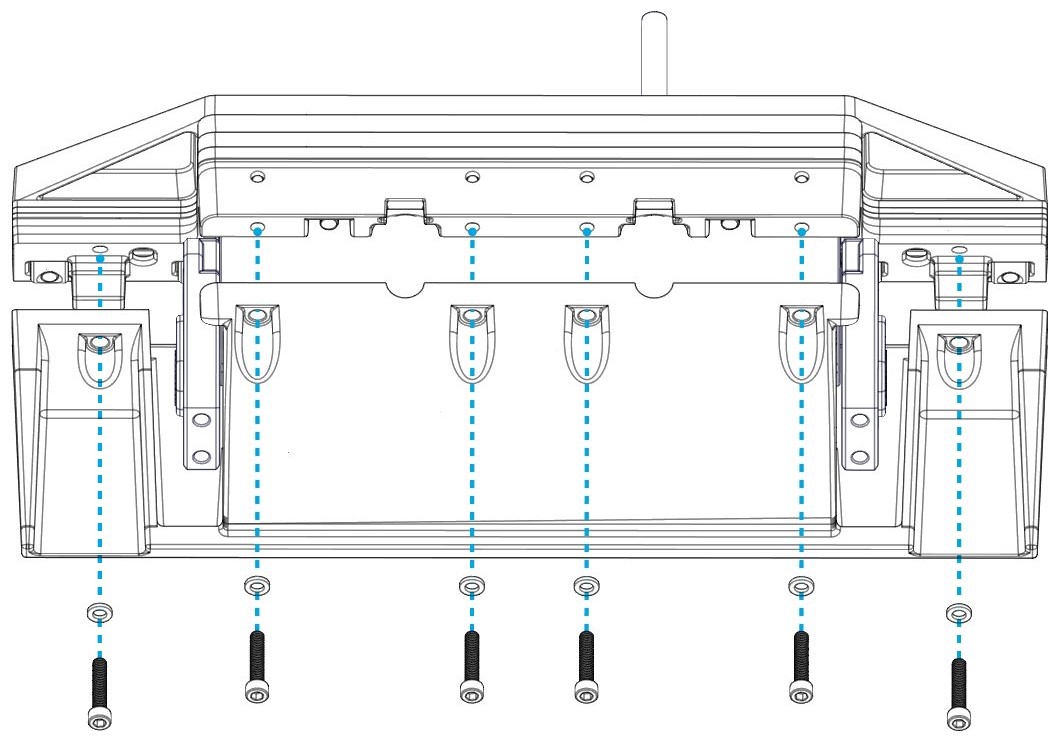
- Remove the Seal Plate and Actuator by pulling the cable out through the gland.
Rebuild
Apply thread locker to all hardware during rebuild (Vibra-Tite 132 for Ride 450-600 systems and Vibra-Tite VC-3 for Ride 750-1500 systems). Make sure to tighten each fastener to the specified torque. Torque values vary by Ride model.
Torque Specifications Ride 450-600
Torque Specifications Ride 750-1500
- Place the new Actuator in the Actuator Plate. Ensure the Actuator is in same orientation as it was mounted prior to removal.
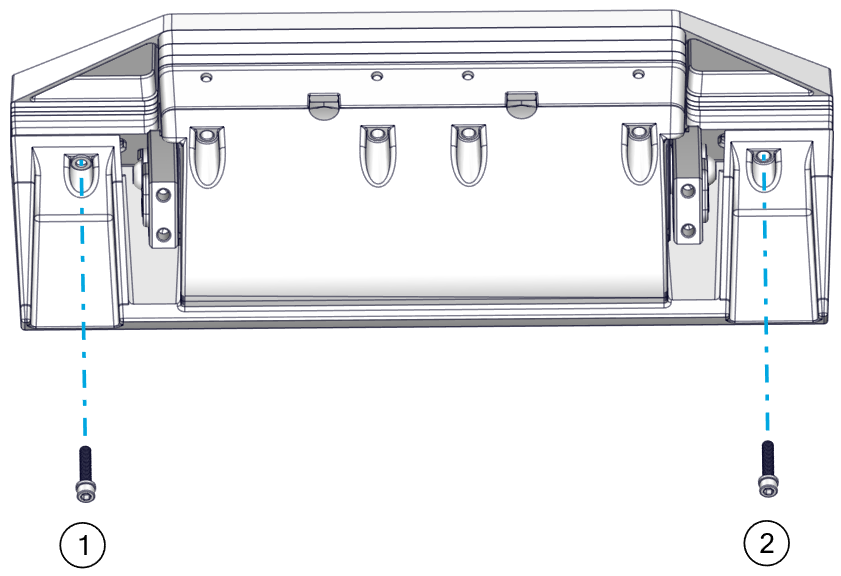
- Set the Seal Plate back over the Actuator and secure it in place with two (2) M6-1.0 x 30mm Socket Head Cap Screws in wing positions. (Note: The Seakeeper Ride 600 system will have four (4) screws).
Apply Torque two (2) times to ensure fasteners are seated.
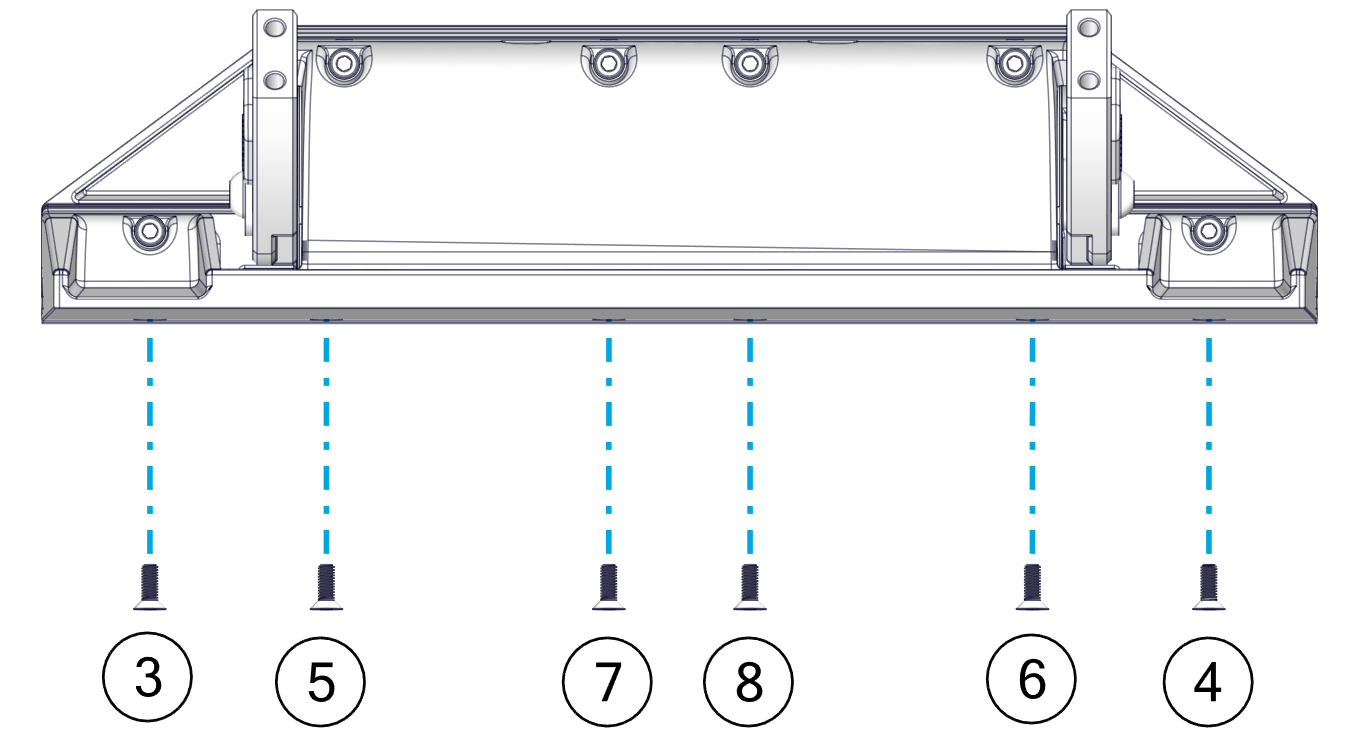
- Secure the Seal Plate bottom with six (6) M6-1.0 x 16 mm Flat Head Socket Cap Screws from the bottom edge of the Seal Plate and apply thread locker to the screws. (Note: The Seakeeper Ride 600 system will have eight (8) screws).
Apply Torque two (2) times to ensure fasteners are seated.
- Secure Seal Plate top with the four (4) M6-1.0 x 30mm Socket Head Cap Screws from the top face of the Seal Plate, apply thread locker to screws. Apply Torque two (2) times to ensure fasteners are seated.
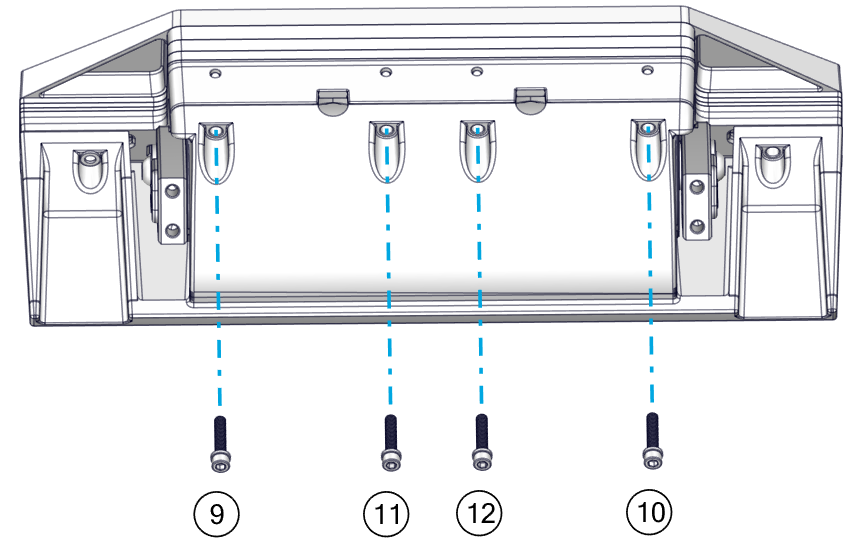
- Replace the Blade with four (4) M8-1.25 x 20 mm Hex bolts, apply thread locker. Torque to 80 in-lbs (9 N-m). Apply Torque two (2) times to ensure fasteners are seated.
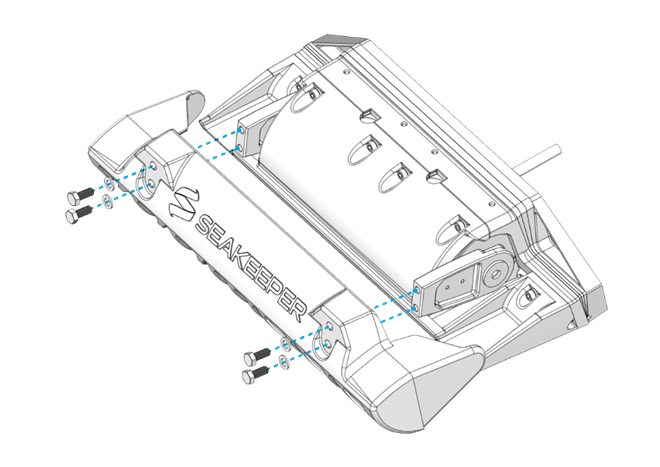
- Tighten the cable gland to ensure equipment is restored and water tight.
- Re-pin the Actuator following the instructions in Section 8.3 of the Electrical Installation Manual. Make sure to follow the wiring diagram for correct pin placement.
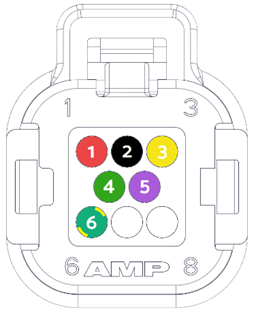
1. RED, +V (16 AWG)
2. BLACK, 0V (16 AWG)
3. YELLOW, CAN_HI (20 AWG)
4. GREEN, CAN-LO (20 AWG)
5. PURPLE, WAKE (20 AWG)
6. GREEN/YELLOW, GND (16 AWG)
(7 and 8 should be plugged.)
Reprogram
The new Actuator will need to be programmed and the Blade zeroed. Note: Exact fault numbers and labels may be different depending on the system and Actuator being replaced, but the process should be the same.
- Turn on the Seakeeper Ride system. The Home Screen on the MFD should show faults in the top of the screen.
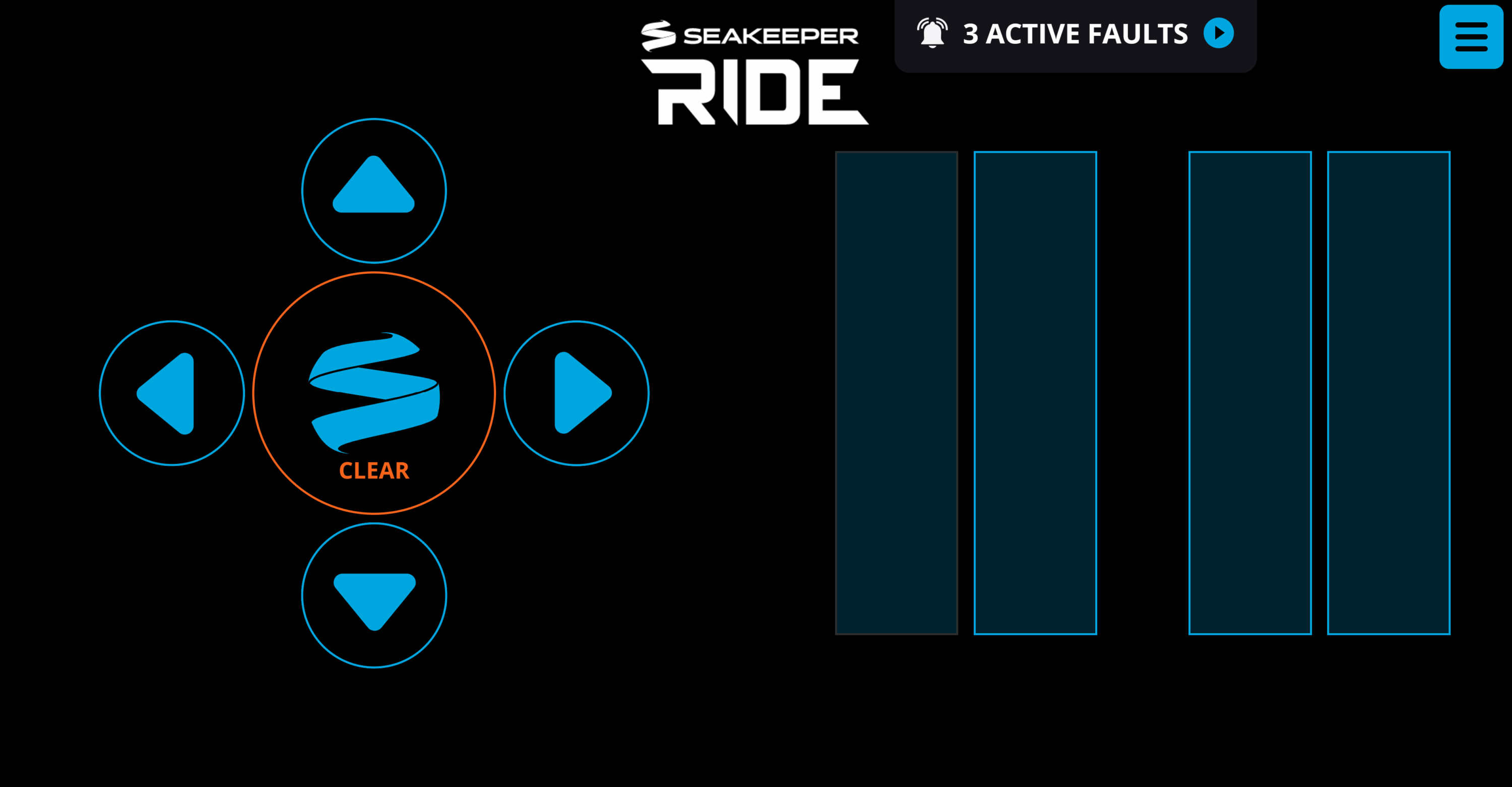
- Open the active faults by pressing the notification at the top of the screen. Alternatively, press the menu button in the top right corner of the screen and navigate to the Faults page.
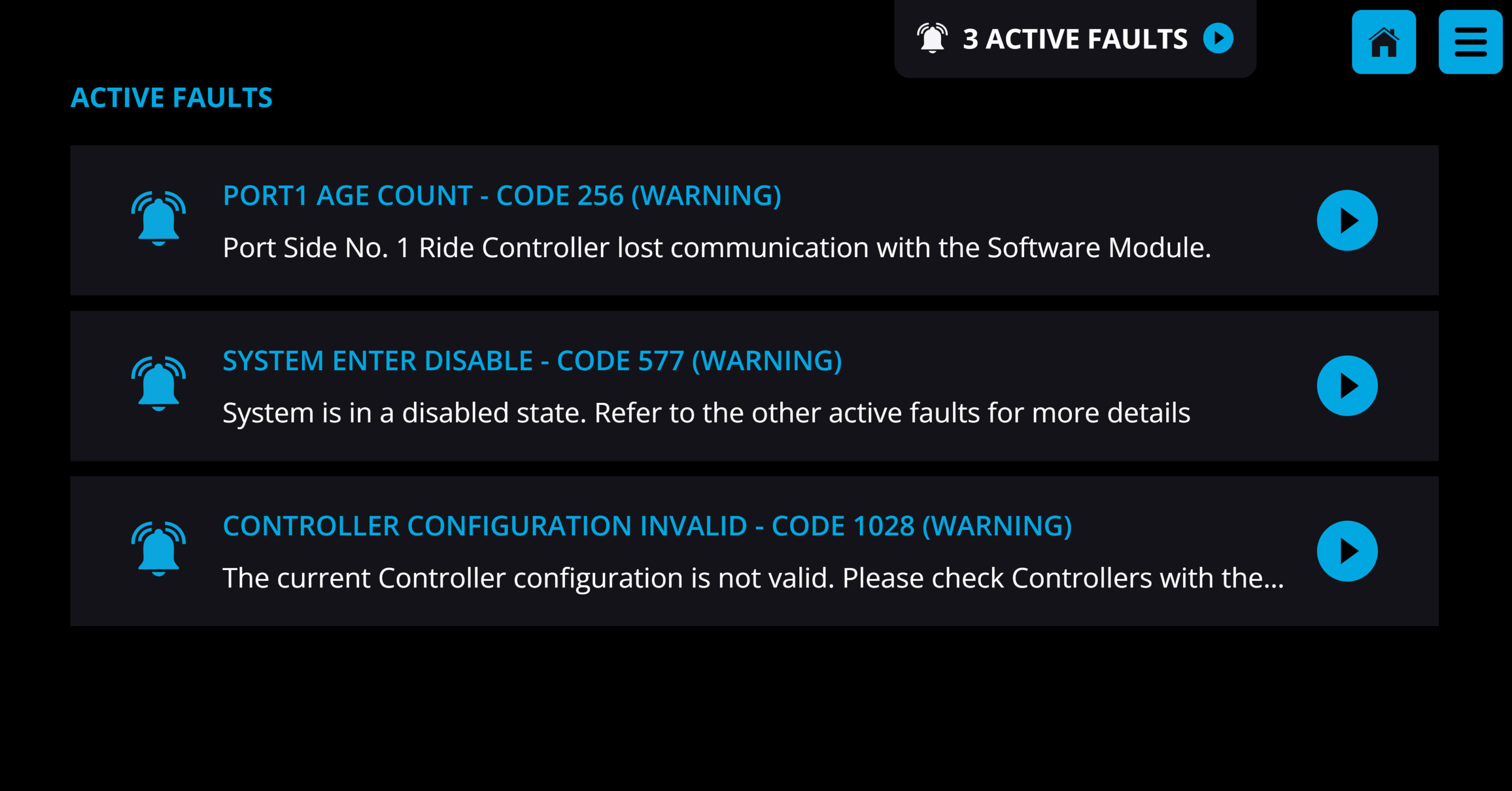
- Find the Configuration fault (Code 1028 in example shown), which will contain a link ‘CONTROLLER CONFIGURATION’ to program the new Actuator. Click this link and follow on screen prompts.
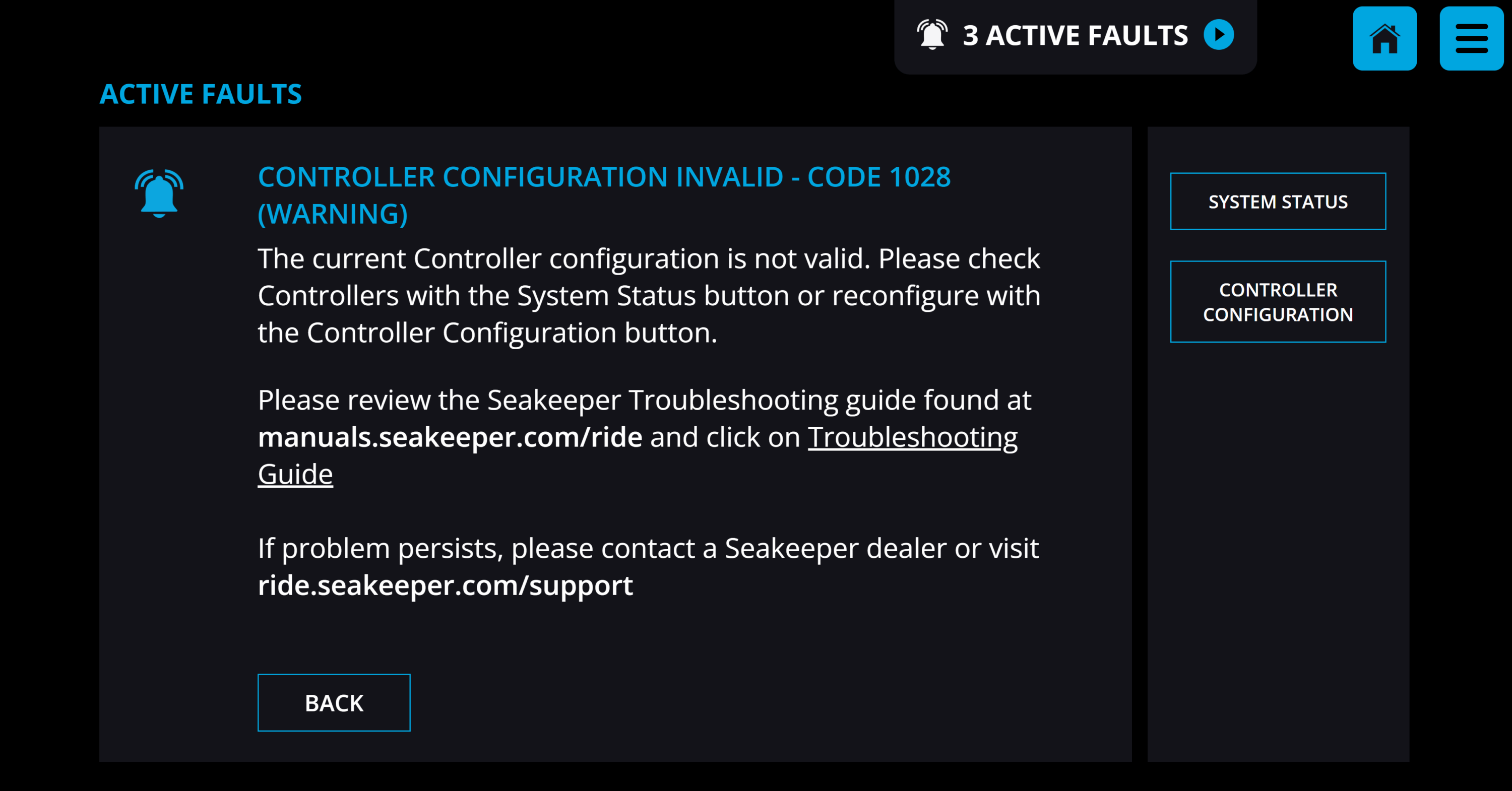
- Follow the instructions for Controller Zeroing and Diagnostics for both port and starboard Controllers (all Controllers will be reconfigured).
- If fault codes remain after configuration, restart the Seakeeper Ride system by turning off power to both the Software Module and Distribution Module(s), wait for 20 seconds, and re-power on the system.
If the programming link is not found, perform a Factory Reset in the Service Menu to fully reconfigure the system.