Seakeeper 40 Installation Manual (90715-3) 40-244-0121 to 40-254-0199
3.2 Electrical Equipment Power Connections
230 VAC Power Source Requirements
- 230 VAC (nominal), 1 Phase, 50/60 Hz, 30 A
- With installations of more than one Seakeeper, a dedicated circuit breaker should be used for each Seakeeper Motor Drive Box.
Drive Box AC Power Input Connection Instructions
- AC Power Input Cable: 3 x 10 AWG (3 x 6 mm2 CSA), 10 ft (3 m) length, (P/N 20542) Seakeeper-supplied and pre-installed in Motor Drive Box.
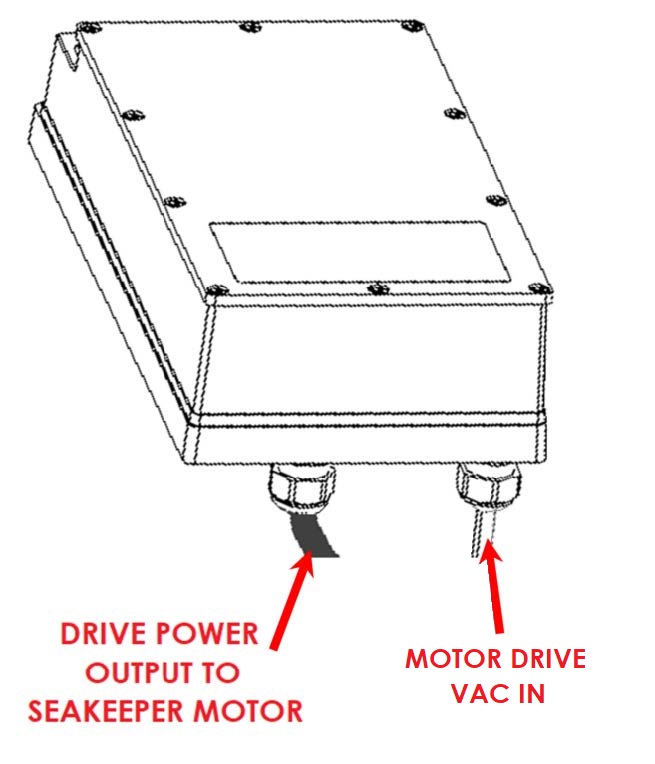
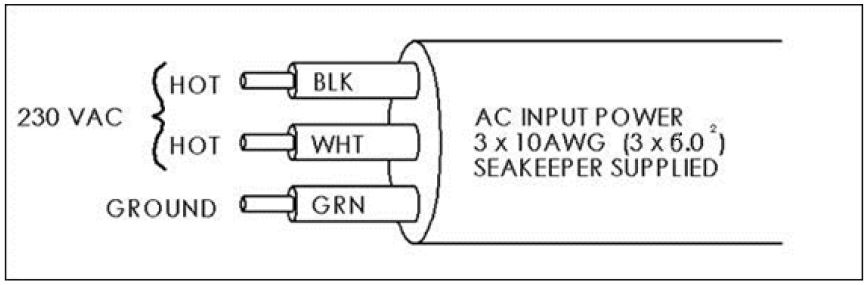
- For Seakeeper 40, connect 230 VAC wires in AC Input Cable to a 30 A, double-pole Circuit Breaker at an AC power distribution panel according to Figure 18 above.
24 VDC Power Input
- One 24 VDC, 15 A (Customer supplied breaker) for Seakeeper Control Power, AND
- One 24 VDC, 20 A (Customer supplied breaker) for DC Seawater Pump.
- A dedicated breaker breaker should be used for each Seakeeper control power and DC Seawater Pump source.
DC Power Connection Instructions

Reversing polarity on the DC power input to the Seakeeper can result in damaging the electronics in the control system.
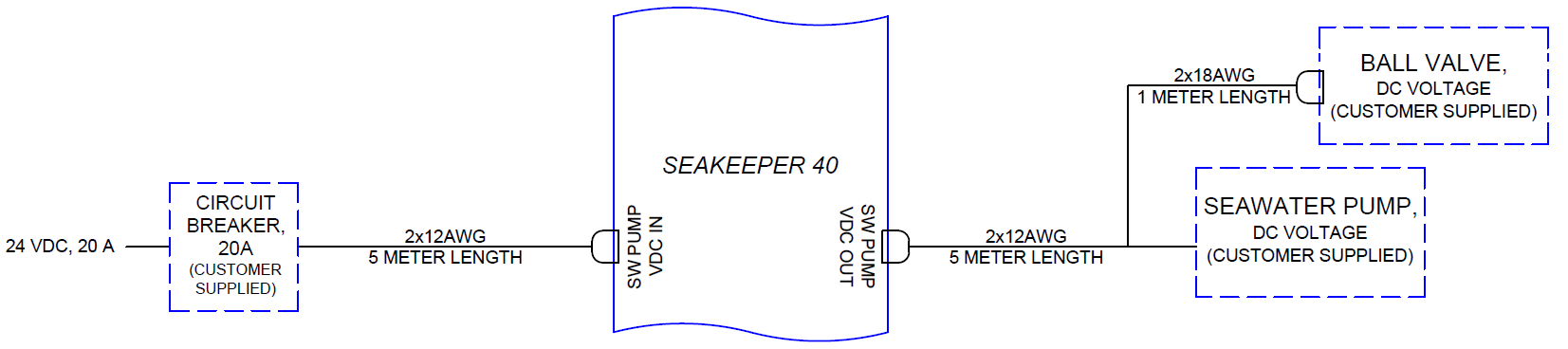
- 24 VDC, 2 x 12 AWG (3 x 4 mm2 CSA) Seakeeper supplied.
- Install Seakeeper provided DC Power Input Cable (P/N 20248),
as shown in Drawing No. 90710 – Seakeeper 40 Cable Block Diagram.
- Route DC Power Input Cable to DC Power Distribution Panel.
- Terminate positive (B+, Red) conductor through dedicated over-current protection device (customer supplied) and a dedicated Seakeeper isolation switch (customer supplied) then directly to battery plus terminal.
- Terminate negative (B-, Black) conductor directly to battery negative terminal or negative bus.
- Before connecting DC Input Cable to Seakeeper, check for proper voltage and polarity with a DC multimeter using Figure 19 below.
- Connect DC Input Cable to 24 VDC input receptacle on Seakeeper.
- Install Seakeeper provided DC Power Input Cable (P/N 20248),
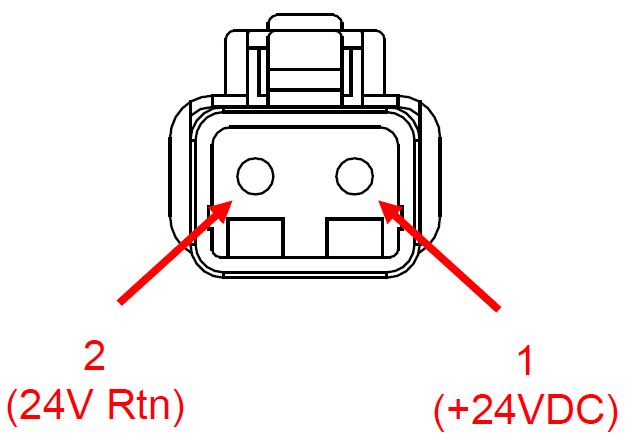
When energizing DC power for the first time, if ConnectBox does not power up immediately then disconnect and inspect connector polarity.
DC Seawater Pump 24 VDC Power Input Connection Instructions

Connecting the DC Seawater Pump in any other manner than recommended by Seakeeper may cause internal failure.
- Install Seawater Pump Input Cable (P/N 20248) to overcurrent protection corresponding to Seawater Pump selected as follows:
- Connect the 12 AWG positive conductor (Red) through dedicated overcurrent protection device (Customer supplied), maximum of 20 A, to dedicated battery isolation switch.
- Connect 12 AWG negative conductor (Black) directly to battery negative terminal or DC main negative bus bar.
- Before connecting Seawater Pump Input Cable to Seakeeper, check for proper voltage and polarity with a DC multimeter using Figure 20 below.
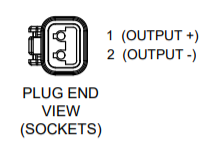
- Connect Seawater Pump Input Cable to “SW Pump 24 VDC In” connector on the Seakeeper.
DC Seawater Pump and Ball Valve 24 VDC Power Output Connection Instructions
- Connect Seawater Pump Output Cable (P/N 20619) to the Seakeeper 40 “SW Pump 24 VDC Out” for DC power output to the Seawater Pump and electric valve.
- Seawater Pump Output Cable is a 2 x 12 AWG cable, 16 ft (5 m) length, with a male Deutsch connector on one end and a Y-connector with one female Deutsch connector and a wire with two terminal ring lugs (Figure 21).
- The cable has two ring terminals for connection to DC Seawater Pump and a female Deutsch connector for connection to the Electric Ball Valve.

- Seawater Pump Output Cable must be routed and installed in the vessel from the Seakeeper 40 “SW Pump 24 VDC Out” Deutsch connector to the DC Seawater Pump cable. See Figure 22 for details.