Seakeeper 10 Installation Manual (90841-2) 10-254-0435 to Current
3.0 Electrical Installation
3.1 Electrical Installation Introduction
This section for electrical installation explains how to mount the electrical equipment and how to connect the electrical cables.
Reference Documents & Drawings:
- 90814 – Seakeeper 10 Hardware Scope of Supply
- 90842 – Seakeeper 10 Operation Manual
- 90719 – Seakeeper 10 Cable Block Diagram
- 90438 – Touchscreen Display Envelope and Mounting Details
- 90467 – Seakeeper 5″ Display Kit
- TB-90640 – ConnectBox Connection Requirements
- TB-90896 – ConnectBox Installation Guide
- MFD Compatibility Technical Bulletins
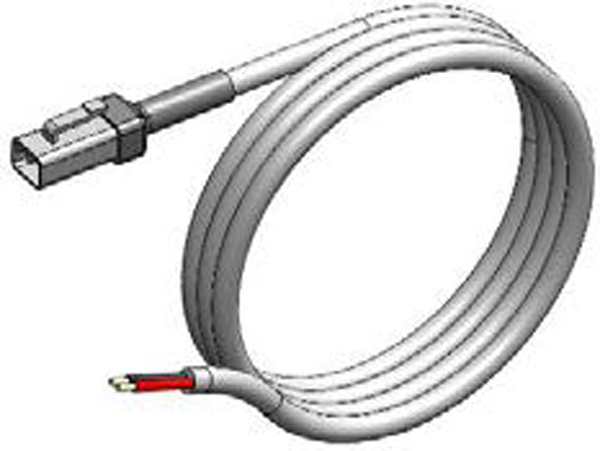
P/N 20248
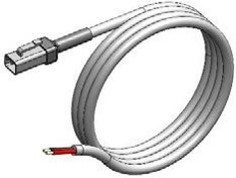
P/N 20454
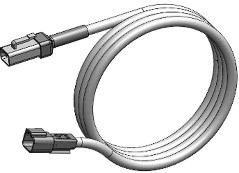
P/N 20455
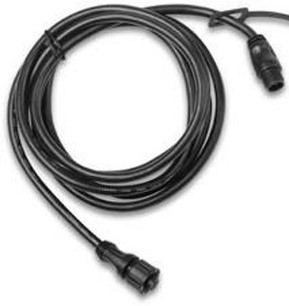
19.6 ft (6 m)
P/N 30332
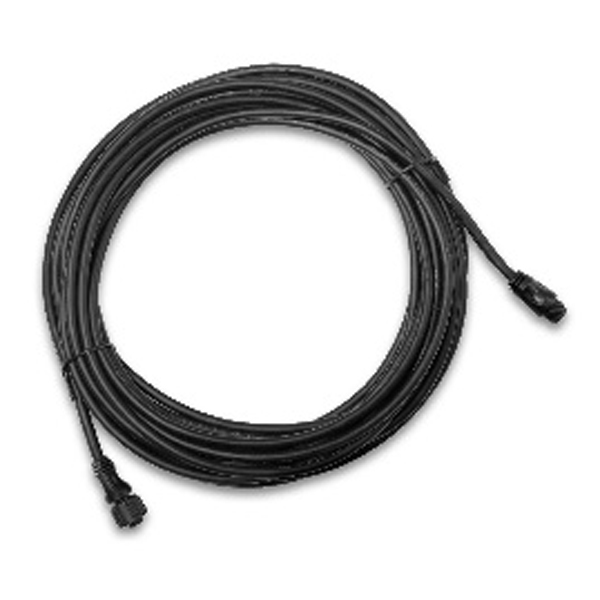
82 ft (25 m)
P/N 30355
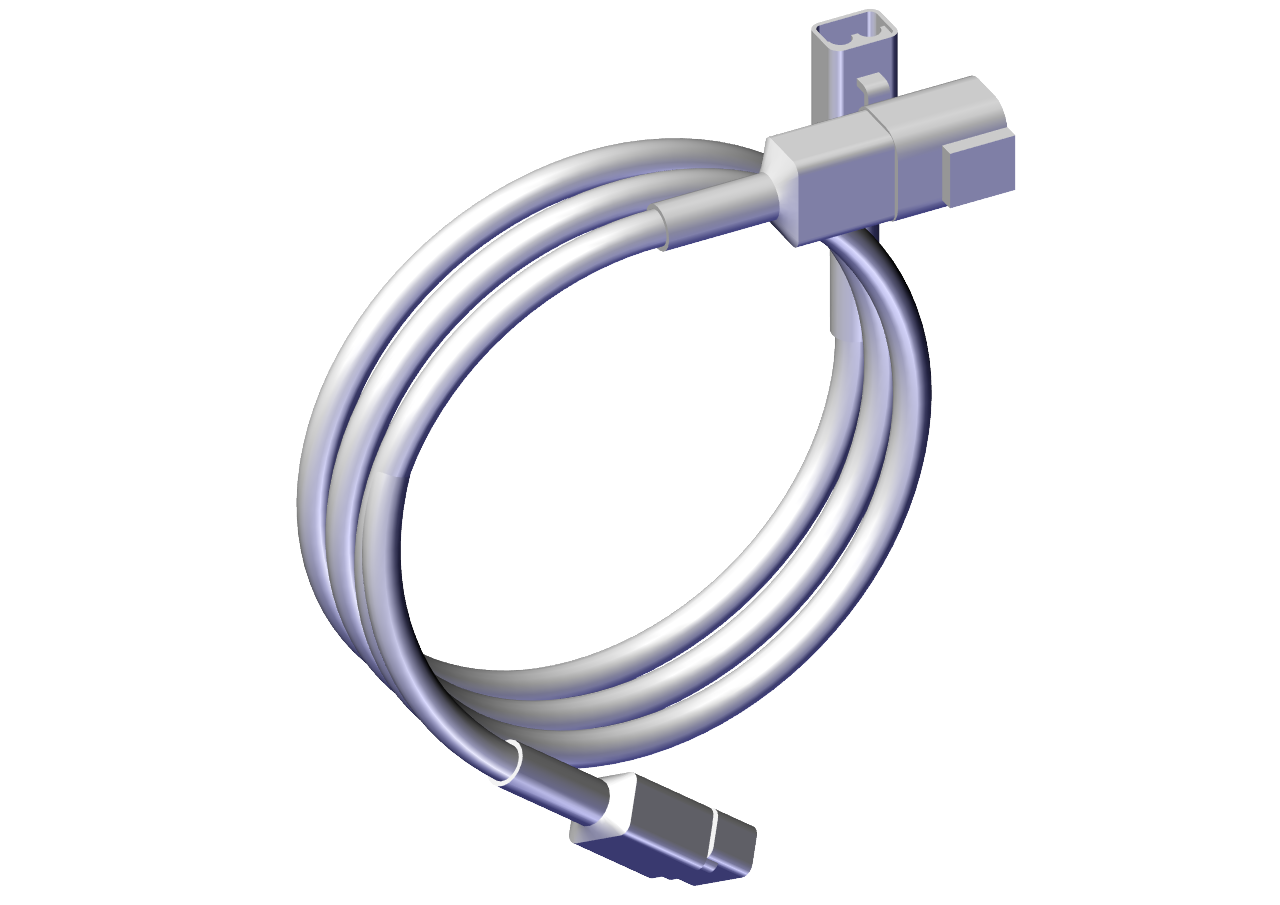
P/N 20658
Figure 18 – Electrical Equipment for Seakeeper 10
3.2 Electrical Equipment Power Connections
230 VAC Power Source Requirements
- 230 VAC (nominal), 1 Phase, 50/60 Hz, 30 A
- For installations of more than one Seakeeper, a separate circuit breaker should be used for each Seakeeper Motor Drive Box.
Drive Box AC Power Input Connection Instructions
- 230 VAC Input Cable: 3 x 10 AWG (3 x 6 mm2 CSA), 10 ft. (3 m) length, Seakeeper supplied pre-installed.
- Locate 230 VAC Input Cable for AC power input to the Drive Box at the outboard of the Motor Drive Box cable glands.
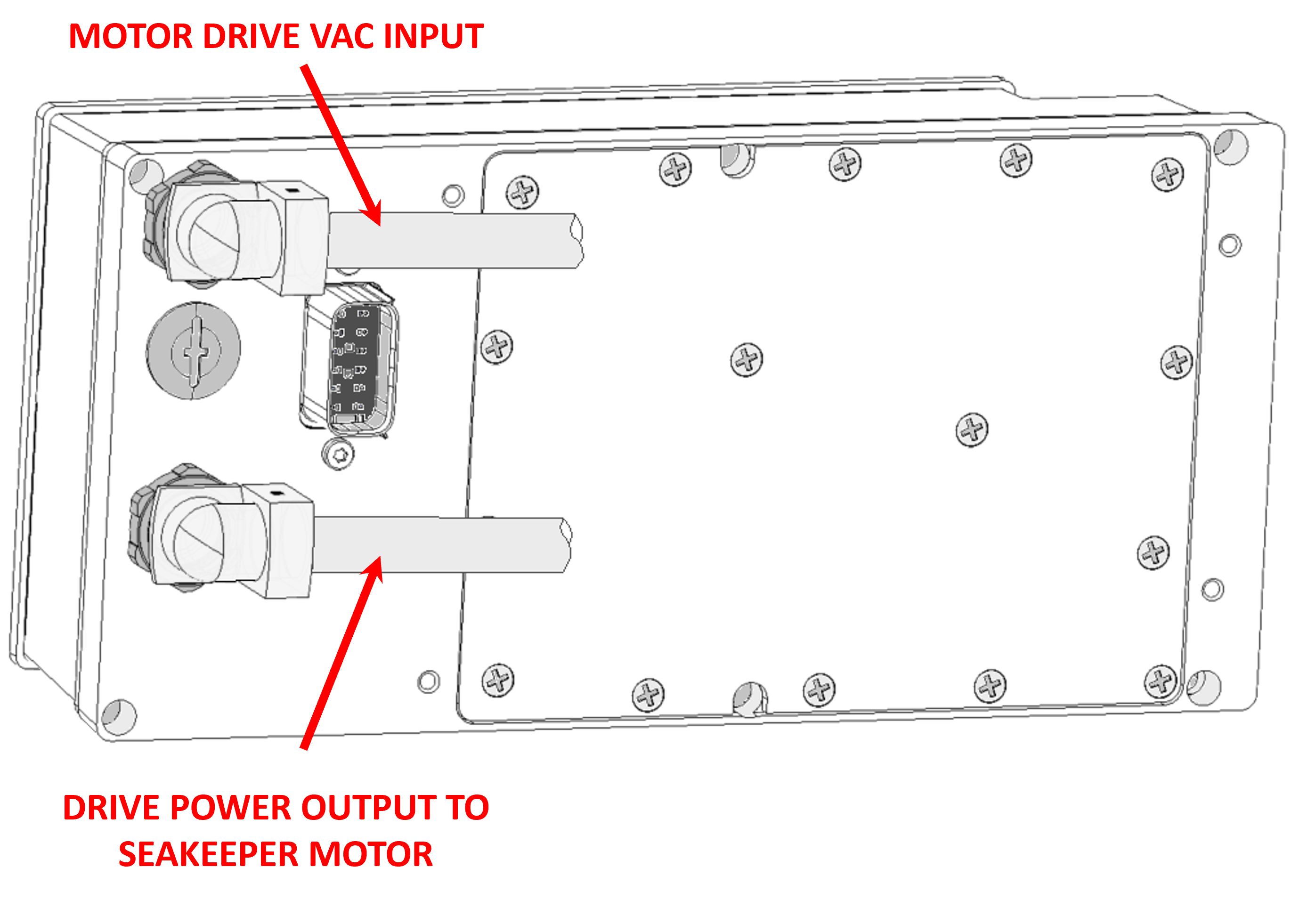
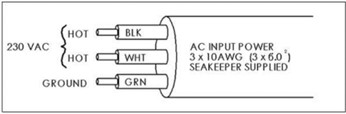
Connections at AC Power Distribution Panel
- Connect 230 VAC Input Cable wires to a 30 A, double-pole Circuit Breaker at an AC power distribution panel according to Figure 20 above.
24 VDC Power Source Requirements
- Seakeeper Control Power: one 24 VDC, 10 A (Customer supplied), AND
- Seawater Pump: one 24 VDC, 10 A* Max (Customer supplied), seawater pump dependent.
- A separate breakers should be used for each Seakeeper in multiple Seakeeper installations.
* Alternate seawater pump configuration for customer-supplied DC-powered seawater pump, 24 VDC at 20 A maximum.
DC Power Connection Instructions

Reversing polarity on the DC power input to the Seakeeper can result in damaging the electronics in the control system.
- 24 VDC, 10 A, 2 x 12 AWG (3 x 4.0 mm2 CSA) customer supplied.
- Install Seakeeper provided DC Power Input Cable, P/N 20248 (as shown in Drawing No. 90719).
- Route 24 VDC Power Cable to DC Power Distribution Panel.
- Terminate positive (B+, Red ) conductor to +24 VDC.
- Terminate negative (B-, Black) conductor directly to battery negative terminal.
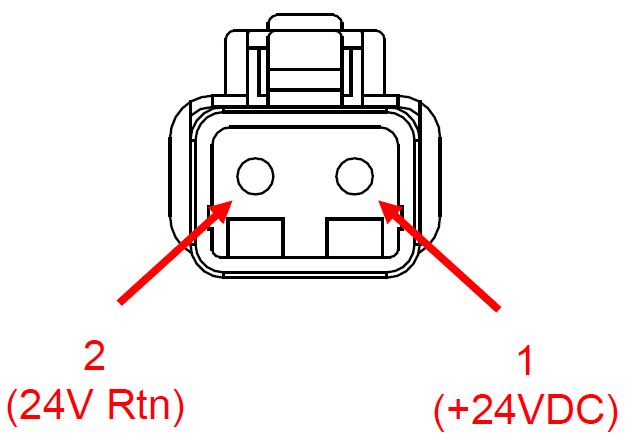
- Before connecting cable to Seakeeper, check for proper voltage and polarity with a DC multimeter using Figure 21 below.
- Connect 24 VDC Input Cable to 24 VDC input receptacle on Seakeeper.
- Install Seakeeper provided DC Power Input Cable, P/N 20248 (as shown in Drawing No. 90719).
DC Seawater Pump 24 VDC Power Input Connection Instructions

Connecting the DC Seawater pump in any other manner than recommended by Seakeeper may cause internal failure.
- Install Seawater Pump Input Cable (P/N 20454) to Seakeeper 10 “SW Pump DC In” (as shown in Drawing No. 90719) with overcurrent protection corresponding to seawater pump selected.
- Connect the 14 AWG positive conductor (Red) through dedicated overcurrent protection device (customer supplied), 10 A (20 A maximum), to dedicated battery isolation switch.
- Connect the 14 AWG negative conductor (Black) directly to battery negative terminal or DC main negative bus bar.
- Before connecting Seawater Pump Input Cable to Seakeeper, check for proper voltage and polarity with a DC multimeter using Figure 8 below.
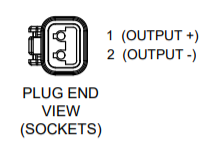
- Connect Seawater Pump Input Cable to Seawater Pump 24 VDC In connector on the Seakeeper, DEUTSCH DT04-2P connector.
DC Seawater Pump 24 VDC Power Output Connection Instructions
- Connect Seawater Pump Output Cable to the Seakeeper 10 “SW Pump 24VDC Out” for DC power to the seawater pump.
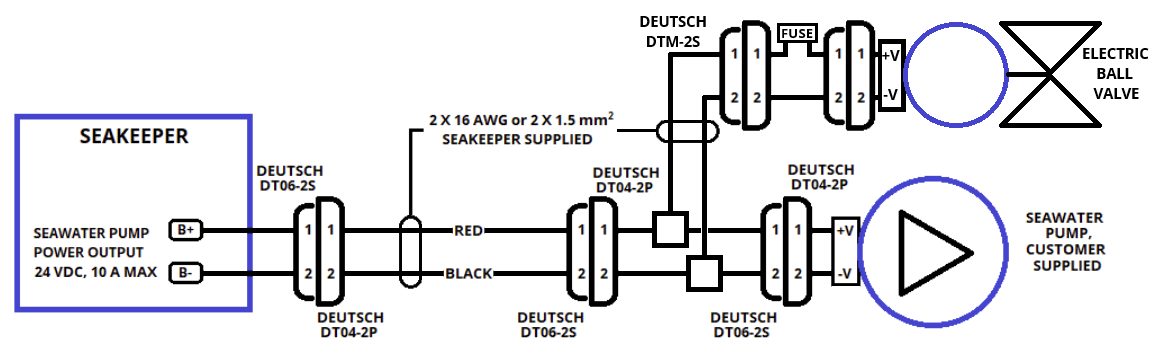
- Install Y-Branch SW Pump Output & Valve cable (P/N 20658) to end of “SW Pump 24VDC Out” cable as shown in top image of Figure 24.
- Seawater Pump Output Cable is a 2 x 14 AWG cable, 16 ft (5m) length with a size 14 female Deutsch plug.
- Pumps rated at 24 VDC, 10 A maximum, customer-supplied, must be configured with a Deutsch
DTP04-2P, 2-pin receptacle to mate with the connector shown in Figure 23.
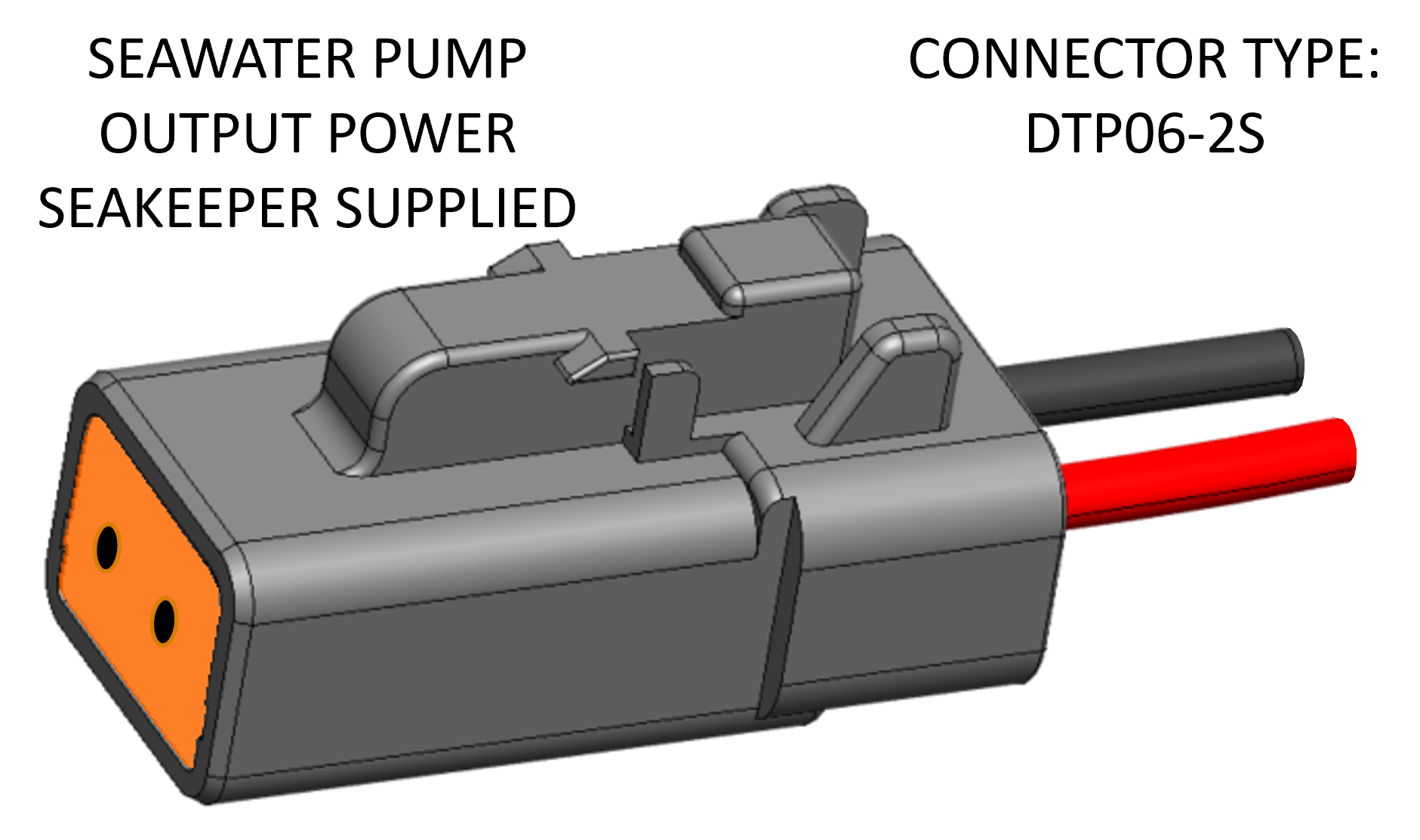
- Seawater Pump Output Cable must be routed and installed in the vessel from the Seakeeper 10 “SW Pump 24VDC Out” Deutsch connector (pins end) to the Y-branch cable Deutsch connector (P/N 20658)(socket end).
- Connect Y-branch cable plug end (socket end) to the customer-supplied receptacle end (pins end). The recommended wiring is shown in Figure 24.
- Connect Y-branch cable DTM-2S connector to DTM-2P connector of inline 1 A fuse cable (P/N 20794) and the electric valve.
- Contact Seakeeper if desired to install customer-supplied relay on Seawater Pump Output Cable to power seawater pump and valve.
3.3 Electrical Equipment Ground Connections
Seakeeper to Vessel Ground Connection Instructions
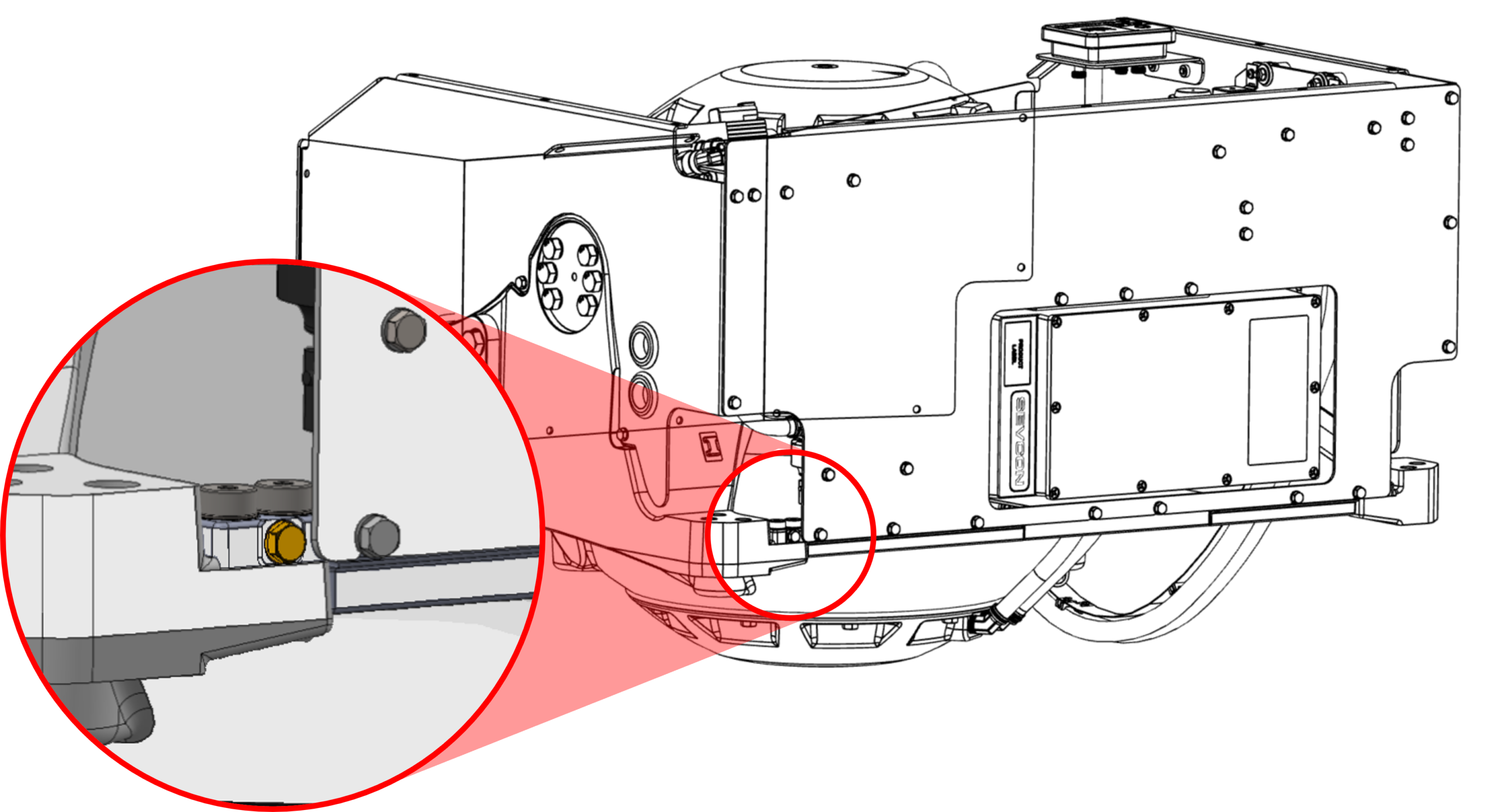
- Connect the Seakeeper foundation to vessel ground, as shown in Figure 25.
- Install Ground Cable (10 AWG or 6 mm2, Customer supplied) from the M6 brass ground stud on the Seakeeper rear brace to a suitable vessel ground.
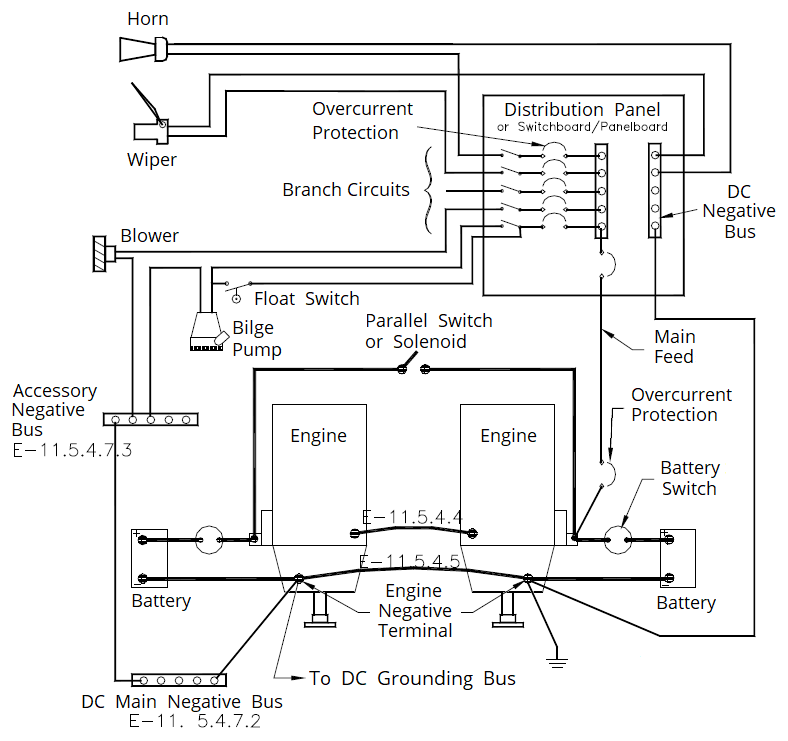
- EN/IEC 60204-1:2016, Clauses 6.3.3 and 8.2.3
- ABYC E-11 July 2021, Clauses 11.5.2 and 11.17.
- Ground connection should be made with a vessel bonding system, if available. However, the ground does not refer to a bonding system; for outboard boats, it generally refers to the negative terminal of the outboard engine. Per ABYC E-11 (2021), Clause 11.5.2.7.4: If the negative side of the DC system is to be connected to the ground, the connection shall be made only from the engine negative terminal, or its bus, to the DC grounding bus. This connection shall be used only to maintain the negative side of the circuit at ground potential and is not to carry current under normal operating conditions.
- A proper ground connection is critically important for corrosion protection and helps ensure the unit’s ignition protection by preventing stray currents.
NOTE: THIS LOCATION SHOULD ONLY BE USED FOR GROUNDING THE SEAKEEPER TO THE VESSEL GROUND
3.4 ConnectBox Connections
Seakeeper 10 Display Options
A compatible multifunction display (MFD) is required with the installation of a Seakeeper 10 to support the full functionality of the unit through the Seakeeper App in addition to the ConnectBox. The Seakeeper App provides an interface for controlling the Seakeeper 10 or viewing the Settings, Service, Info, and Alarm pages. The Seakeeper ConnectBox can be helm-mounted to provide an additional interface for the control of the Seakeeper 10 but does not replace the need for a Seakeeper compatible MFD.
The Seakeeper 10 has several control interface connection options to support the Seakeeper App:
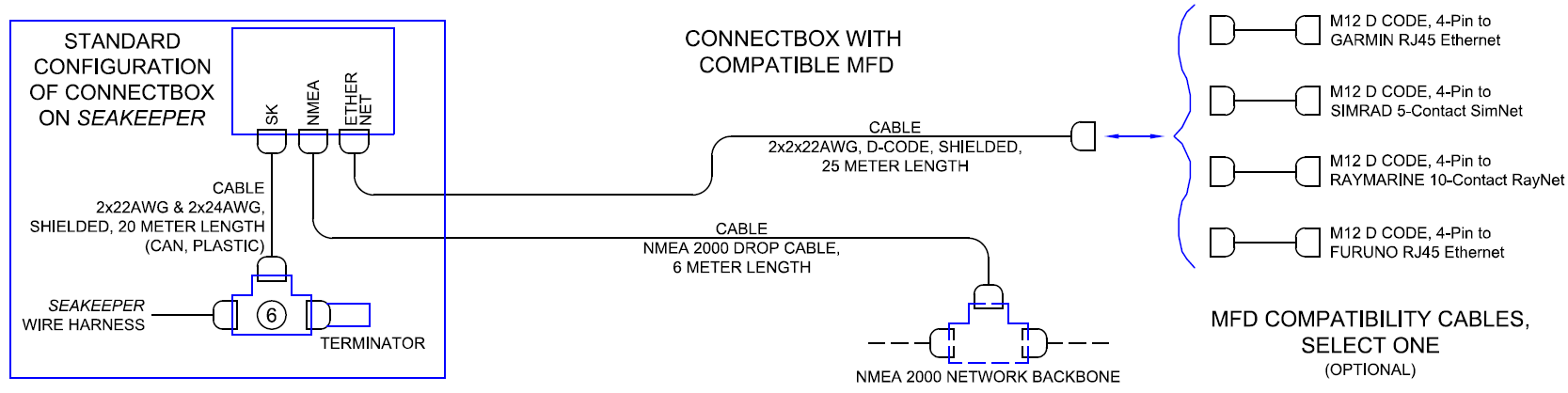
- Connect the Seakeeper 10 to a compatible MFD, as seen in Figure 26.
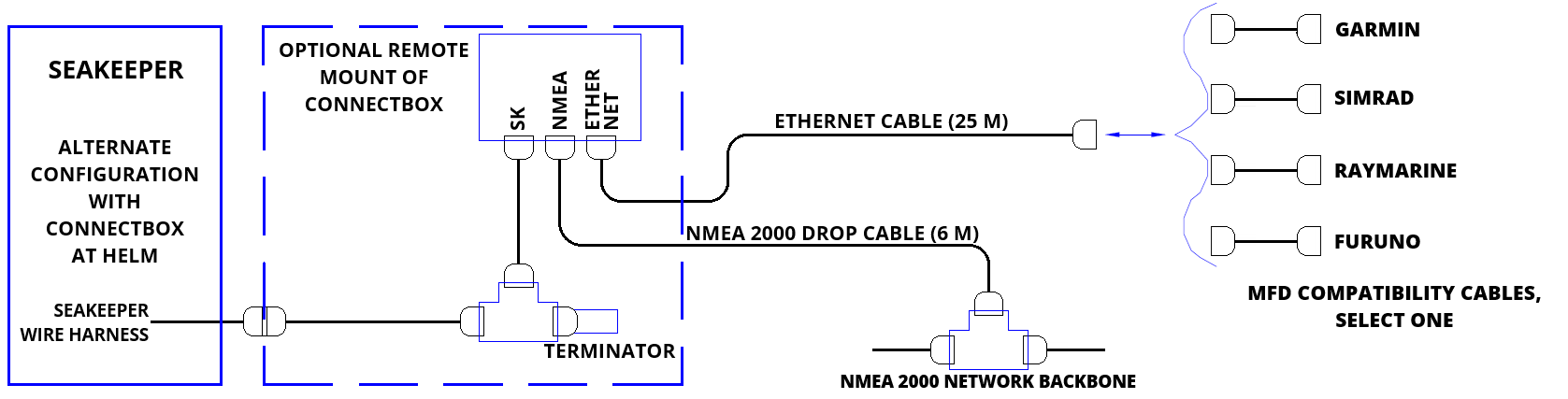
- Install the ConnectBox remotely, as seen in Figure 27.
The following figures provide schematics of display options. The subsequent sections outline the instructions and references for connecting the Seakeeper 10 to a compatible MFD or a remote-mounted ConnectBox and an MFD.
Connecting to a Compatible MFD
- The Seakeeper 10 can be connected to various available MFD systems. For manufacturer-specific MFD compatibility technical bulletins, refer to the Technical Bulletins Section of the Seakeeper Technical Library.
- MFD specific Technical Bulletins will be updated regularly as new MFD systems become available. Currently Garmin, Raymarine, NAVICO (Simrad, Lowrance, B&G), and Furuno offer compatible MFD models.
- Once a compatible MFD has been selected, refer to the appropriate manufacturer specific Technical Bulletin for integration instructions.
- Connect Seakeeper-supplied Ethernet Adapter cable, M12 D-Code, 82 ft (25 m), cable to MFD manufacturer-specific Ethernet adapter cable (See Figure 26 above). Custom Ethernet cables for specific MFD manufacturers are available through Seakeeper and must be purchased with the Seakeeper 10 when connecting to an MFD.
ConnectBox Helm Mounting – Optional
- Console space required: Approx. 3.41 L x 4.15 W in. (87 x 106 mm).
- Mounting Instructions, Surface Mount: See Drawing No. 90558 – Seakeeper ConnectBox Helm Mounting Kit, for details. Seakeeper ConnectBox 3D Model available upon request.
- Mount ConnectBox Replacement Blank insert into Seakeeper 10 enclosure at the original location of the ConnectBox.
NMEA 2000 Network Connection
The Seakeeper 10 requires a connection to the vessel’s NMEA 2000 network backbone via a drop cable to access the GPS signal. The Seakeeper 10 monitors information on the NMEA network to support and optimize its performance. If no GPS signal is detected, a warning will appear on the Seakeeper display. The Seakeeper will not spool down, but the unit’s operation will be limited until the GPS signal returns. Refer to TB-90896 – ConnectBox Installation Guide for details of installation.
- Install customer-supplied NMEA 2000 Tee Adapter (space required: approximately 4 W X 3 H in. (102 X 76 mm).
- Connect NMEA Backbone to Tee Adapter. NOTE: NMEA drop cable can be no longer than 19.6 ft (6 m) in length.
- ConnectBox can be remote mounted at a location closer to the NMEA backbone when the 6 m drop cable length is insufficient. See ConnectBox Helm Mounting instructions below.
- If the 6 m drop cable is insufficient in length, extend the NMEA 2000 backbone towards the ConnectBox.
- Connect Seakeeper-supplied NMEA cable (P/N: 30332) to the customer-supplied NMEA 2000 Tee Adapter on vessel’s NMEA 2000 backbone.
- An active NMEA 2000 compatible GPS signal is required on the vessel’s NMEA 2000 backbone to operate the Seakeeper 10.
- If no GPS signal is detected, the Seakeeper app will display a Speed Over Ground (SoG signal) warning. For NMEA connectivity guidance, see TB-90640.
- An active NMEA 2000 compatible GPS signal is required on the vessel’s NMEA 2000 backbone to operate the Seakeeper 10.